

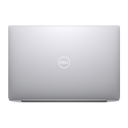









Best MacBook Skins in India (2026): Finishes, Full-Body vs Lid, Transparent, and How to Pick by Model | Capes

In this guide
- Is a MacBook skin better than a hard shell or going bare?
- Full-body or lid only: which coverage should I pick?
- Matte transparent or textured: which finish suits a MacBook?
- How do I pick the right skin for my MacBook model?
- What does a MacBook skin not do?
- Can I apply and remove a MacBook skin myself?
- Verdict: which MacBook skin should you buy?
- FAQ
Quick answer: The best MacBook skin in India is cut for your exact model, uses a named 3M film or a clear matte film, and covers the parts that actually wear. For most people that means Matte Transparent Guard in Pro coverage (top, bottom and sides), which keeps Apple's colour and cuts shine. Choose Essential for a lid-only look, Max to add the palm rest and trackpad, or a textured finish for grip and a new look. Capes skins are cut per model, from the MacBook Neo to the 16-inch Pro.
By Capes. Published 21 November 2026. Updated 21 November 2026.
A MacBook is the most expensive thing in most Indian backpacks and the first to pick up scratches, dents and fingerprints: from keys in the same pocket, from desks, from the kitchen table. A skin is the cheapest protection against the cosmetic side of that, and it lets you change the look without a new laptop.
This guide explains how to choose: how much to cover, which finish, which model, and how a skin compares with a hard shell or going bare. It links to the Capes MacBook skin collections for every model.
Is a MacBook skin better than a hard shell or going bare?
It depends on what you want to protect against. A skin guards against scratches and scuffs and adds almost no bulk. A hard shell adds a rigid layer and some bulk. Bare is lightest and shows every mark.
| Option | Protects against | Bulk | Trade-off |
|---|---|---|---|
| Skin (vinyl film) | Scratches, scuffs, fingerprints; changes the look | Ultra thin | Not a shock absorber; a dent is not prevented |
| Hard-shell snap-on case | Scuffs and light impacts on the lid and base | Noticeable | Adds thickness; can trap dust and scratch if grit gets in |
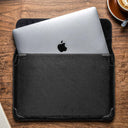
| Padded sleeve | Bag knocks while carrying | Separate item | Does nothing at the desk |
| Nothing | Nothing | None | Every mark shows; resale value drops |
Many people combine a skin with a sleeve. Our laptop case vs skin guide goes deeper on that choice.
Full-body or lid only: which coverage should I pick?
If the MacBook goes into a bag every day, pick at least Pro, because the base and corners wear as much as the lid. Essential is enough if it mostly stays on a desk. Capes sells three tiers for each model.
| Coverage | Covers | MacBook Air 13 M5 price* | Good for |
|---|---|---|---|
| Essential | Top (lid) | Price varies by finish | Desk use, or a MacBook that lives in a sleeve |
| Pro | Top, bottom and sides | Price varies by finish | Daily carry, college and office bags, laps and tables |
| Max | Full coverage including the palm rest and trackpad | Price varies by finish | A uniform look inside and out, and palm rests that show marks |
Prices vary by finish and model, and the larger 16-inch Pro costs more; see each product page for the current price.
The MacBook Transparent Skins listing also sells a palm rest piece or a bottom piece on its own for many models, if you want to cover only the part that wears.
Matte transparent or textured: which finish suits a MacBook?
Pick Matte Transparent Guard if you like how the MacBook looks and want to protect it. Pick a textured finish for grip, to hide existing marks or to change the look.
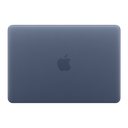
- Matte Transparent Guard. A clear vinyl film with a matte protective layer. It keeps Apple's colour visible and cuts shine and fingerprints.
- Forged Carbon, Carbon Fibre Black and Black Leather. Grippy, dark finishes that hide marks. Forged Carbon has a forged carbon texture and Black Leather a leather texture.
- Walnut. A warm, natural look.
- Galaxy, Tornado, Lava, Storm, Aqua, Coral, Terrain and Black Matrix. Bold, distinctive designs.
- Camo and paisley. Five camo finishes and three paisleys.
- Teardown Black, White and Silver. Offered on recent MacBook listings.
Our textures are authentic 3M films, and Forged Carbon has a forged carbon texture and Black Leather a leather texture. The product pages describe the skins as bubble-free to apply and designed to remove cleanly, with a protective coating. For finish-by-finish guidance across every laptop brand, see the full laptop skin guide; for see-through options, read the transparent laptop skins guide.
| You want | Choose |
|---|---|
| Keep the original MacBook colour | Matte Transparent Guard |
| Fewer fingerprints on a dark lid | Matte Transparent Guard or a textured finish |
| Hide scratches already there | Forged Carbon, Carbon Fibre Black or Black Leather |
| More grip on a smooth aluminium lid | Black Leather or Forged Carbon |
| A distinctive look | Galaxy, Tornado, Lava, Black Matrix, camo or paisley |
How do I pick the right skin for my MacBook model?
Match the skin to the exact model, not the screen size. Open the Apple menu and choose About This Mac to see the model name and year. Air and Pro bodies differ by size and year, so a close match can fail to line up.
| Your MacBook | Capes listing |
|---|---|
| MacBook Air 13-inch M5 (2026) | MacBook Air 13 M5 2026 skins |
| MacBook Air 15-inch M5 (2026) | MacBook Air 15 M5 2026 skins |
| MacBook Pro 14-inch M5 Pro or Max (2026) | MacBook Pro 14 M5 (Pro/Max) 2026 skins |
| MacBook Pro 16-inch M5 Pro or Max (2026) | MacBook Pro 16 M5 (Pro/Max) 2026 skins |
| MacBook Neo | MacBook Neo skins (see also the MacBook Neo guide) |
| MacBook Pro 14-inch M1, M2, M3 or M4 (2021 to 2024) | MacBook Pro 14 (2021 to 2024) skins |
| Other Air, Pro and older MacBooks | MacBook Transparent Skins or the full MacBook collection |
Each listing offers Essential, Pro and Max in the full range of finishes. If your model is not listed, check the collection or write to us before ordering the nearest size.
What does a MacBook skin not do?
A skin guards cosmetics, not the machine. It does not stop a dent from a hard drop, it does not protect the screen and it is not a waterproof layer. Be honest with yourself about which risk worries you.
- Drops. A skin is ultra thin and does not absorb a fall. For shocks, add a padded sleeve.
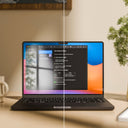
- The screen. The display needs its own protection. Capes Glare Armour is a matte anti-reflection screen protector for MacBook, from
- Vents and ports. A skin must leave vents and ports open. Capes skins are precision cut for the model.
For a tidy desk, the 3-in-1 MagLock Stand raises a laptop of up to 16 inches and the MagLock cables carry up to 240W to charge it.
Can I apply and remove a MacBook skin myself?
Yes. Clean the surface with a lint-free cloth, hold each piece in place before peeling the backing to check the cut-outs line up, then press from the centre outwards. Take your time on the lid piece. Product pages describe removal as designed to be clean; follow the instructions that come in the box.
If the laptop is going to resale, removing the skin first shows the original finish underneath.
Verdict: which MacBook skin should you buy?
For most MacBook owners: Matte Transparent Guard in Pro coverage, cut for your exact model. Choose Max if the palm rest is already marked, Essential if the MacBook lives on a desk, and a textured finish if you want grip or a new look.
Start with your model on the MacBook skins collection, see all laptop skins or the transparent skins. Pair it with a laptop sleeve with stand. Outside India? Shop on capes.co.
FAQ
Which is the best skin for a MacBook Air in India?
Matte Transparent Guard in Pro coverage suits most MacBook Air owners: Apple's colour stays visible, shine drops, and the top, bottom and sides are covered. Pick the listing that matches your chip and year in About This Mac.
Should I get a full-body or lid-only MacBook skin?
If the MacBook travels in a bag, get Pro (top, bottom and sides) because the base wears as much as the lid. Essential covers the lid only. Max adds the palm rest and trackpad.
Is a transparent MacBook skin better than a textured one?
Transparent keeps the original colour and adds protection; textured adds grip, hides existing marks and changes the look. It depends on whether you want to keep or change the look.
Do MacBook skins damage the laptop or leave residue?
Capes product pages describe the skins as bubble-free to apply and designed to remove cleanly. Apply on a clean surface and follow the instructions in the box when you remove it.
MacBook skin kaunsa lena chahiye, lid wala ya full body?
Agar MacBook roz bag mein jaata hai to Pro lijiye (upar, neeche aur sides). Sirf desk par rehta hai to Essential kaafi hai. Palm rest aur trackpad bhi cover karna ho to Max.
Which MacBooks do Capes skins fit?
Current and older Air and Pro models, plus the MacBook Neo, each with its own cut. That includes the Air 13 and 15 M5, the Pro 14 and 16 M5, and many earlier models. Match your model in About This Mac to the listing.
Written by Capes. Published 21 November 2026. Last updated 21 November 2026.
 MacBook Air 13 M5 2026 Skins & Wraps
 MacBook Pro 14 M5 (Pro/Max) 2026 Skins & Wraps