

























Transparent Laptop Skins: Do They Turn Yellow, Matte or Gloss, Do Scratches Show? — Capes
In this guide
- What is a transparent laptop skin made of?
- Do transparent laptop skins turn yellow?
- Matte or gloss: which transparent skin is better?
- Do scratches show on a transparent skin?
- Which laptops can get a transparent skin?
- How do you apply a transparent skin without bubbles or dust?
- Shop transparent laptop skins
- FAQ
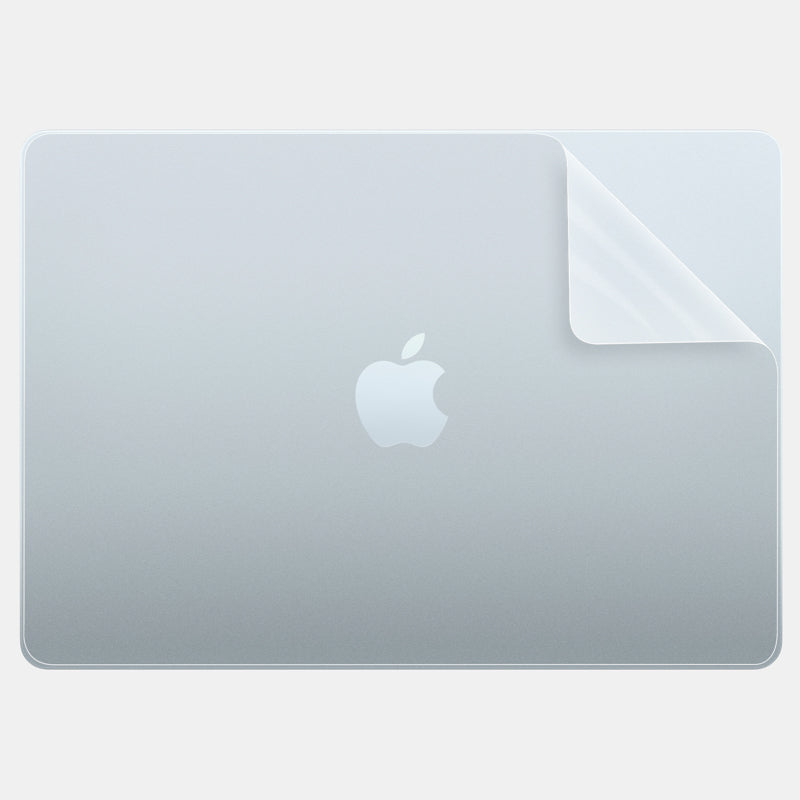
Quick answer: A Capes transparent laptop skin is 3M 180C clear vinyl with an Orafol matte lamination. It is matte, not glossy: your laptop's colour shows through while shine, fingerprints and fine marks are toned down. Any clear plastic can change colour after years of strong sun, so we do not promise it never will, but it is easy to replace.
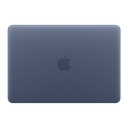
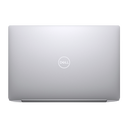
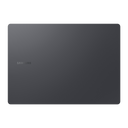
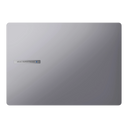
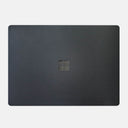
Transparent skins are for people who chose their laptop's colour on purpose and want to keep it. They protect the lid, base and sides from scratches the same way an opaque skin does, but you still see the Midnight, Silver or Space Black underneath.
This guide answers the questions people ask most before buying one, honestly, including what a clear skin will not hide.
What is a transparent laptop skin made of?
Ours is two layers bonded together: a 3M 180C clear vinyl with an Orafol matte lamination on top. We call the finish Matte Transparent Guard.
Like every Capes skin, it is cut for one specific laptop model, with openings for the ports and vents. Our product pages describe it as bubble-free to apply and residue-free to remove.
Do transparent laptop skins turn yellow?
We do not make an anti-yellowing claim for skins, so we will not tell you it never changes colour. Any clear plastic can discolour after years of strong sunlight and heat.
Most of the yellowing people have seen is on soft, clear phone cases, which are a different material; our post on why phone cases turn yellow explains that. A skin is a thin film stuck flat to the laptop. To keep it looking clear for longer:
- Do not leave the laptop in direct sun for long periods, for example on a car seat or a sunny windowsill.
- Clean it with a soft, slightly damp microfibre cloth, not with harsh household cleaners.
- If it ever looks tired, peel it off and apply a new one. The lid underneath is unchanged.
Matte or gloss: which transparent skin is better?
For a laptop, matte. It hides fingerprints and light scuffs and stops the lid reflecting light. Our transparent laptop skin is matte only.
| Matte transparent | Gloss transparent | |
|---|---|---|
| How the lid looks | Original colour, with a soft satin finish | Original colour, extra shine |
| Fingerprints and smudges | Hard to see | Easy to see |
| Fine scratches on the skin itself | Less visible, because light is scattered | More visible as bright lines |
| Reflections under lights | Low | High |
| Feel | Smooth and dry | Slick |
The trade-off: a matte layer makes a shiny lid look less shiny. Most people who choose a transparent skin want exactly that, because the shine is where fingerprints show.
Do scratches show on a transparent skin?
New scratches land on the skin, not on your laptop, and the matte surface makes fine ones hard to see. Scratches that are already on the lid will still show through, because the skin is clear.
- Light scuffs already on the lid: often less noticeable under a matte layer, but not invisible.
- Deep scratches, dents or chipped paint: will show through. Choose an opaque finish such as Forged Carbon or Black Leather if you want to hide them.
- Wear on the skin itself: the most-handled spots wear first. When it bothers you, replace the skin; the original finish underneath is protected.
Which laptops can get a transparent skin?
MacBooks have one dedicated listing, and many Windows laptops offer it as a finish option. On a Windows model, pick "Matte Transparent Guard" as the texture.
| Laptop | Where to find it | Coverage offered |
|---|---|---|
| MacBook Air, MacBook Pro, MacBook Neo and older MacBooks | MacBook Transparent Skins (choose your model) | Essential, Pro, Max, or a palm rest or bottom piece on its own |
| MacBook Air 13 M5 / M4 | The model's own skin listing, texture Matte Transparent Guard | Essential, Pro, Max |
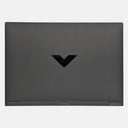
| HP Victus Gaming 15 FA0070TX | Model listing, texture Matte Transparent Guard | Essential, Pro |
| Lenovo LOQ 15IRX9 | Model listing, texture Matte Transparent Guard | Essential |
For other Windows laptops, search your exact model code on capesindia.com and check the texture list. Essential covers the top, Pro adds the bottom and sides, and Max adds the palm rest and trackpad.
How do you apply a transparent skin without bubbles or dust?
A clear skin shows any dust trapped underneath, so the surface has to be spotless. Work slowly and in good light.
- Wash your hands and wipe the laptop with a lint-free cloth until no dust or fingerprints remain.
- Hold each piece in place with the backing still on and check that every cut-out lines up.
- Peel the backing from one edge only, line that edge up, and lay the skin down slowly.
- Press from the centre outwards with your fingers or a soft card to push air to the edges.
- Finish with firm pressure along every edge and corner.
Shop transparent laptop skins
MacBook owners: start at MacBook Transparent Skins. Windows owners: find your model in laptop skins and choose Matte Transparent Guard. Not sure clear is right for you? Compare it with the other finishes in our laptop skin guide.
Outside India? Shop on capes.co.
FAQ
Is a transparent laptop skin matte or glossy?
The Capes transparent laptop skin is matte. Your laptop's colour shows through with a soft satin finish that hides fingerprints and fine scratches better than gloss.
Can I get a full body transparent skin?
Yes, where the model offers it. Pro covers the top, bottom and sides, and Max adds the palm rest and trackpad. Some Windows models are offered with top coverage only, so check the coverage options on your model's page.
Will a transparent skin hide scratches on my laptop?
Not fully. It stops new scratches reaching the lid and makes light scuffs less noticeable, but deep scratches and dents will show through. An opaque finish hides them better.
Can I remove a transparent skin later?
Yes. Switch the laptop off, lift a corner with a fingernail and peel slowly, folding the skin back over itself. Warm a stubborn corner briefly with a hair dryer on low.
Transparent laptop skin peela hota hai kya?
Koi bhi clear plastic saalon tak tez dhoop mein rehne par rang badal sakta hai, isliye hum "kabhi peela nahi hoga" ka daava nahi karte. Laptop ko dhoop mein mat chhodiye, aur skin purana lage to naya laga lijiye; neeche ka lid waisa hi rahega.
Written by Capes, makers of precision-cut skins for laptops, phones and cameras since 2017. Last checked: 9 October 2026.
 MacBook Transparent Skins
 MacBook Air 13 M5 2026 Skins & Wraps
 HP Victus Gaming 15 FA0070TX Skins & Wraps