

































How to Check Your Laptop Model Number: HP, Dell, Lenovo, Asus, Acer, MSI, Samsung and MacBook (Capes Guide)
In this guide
- What is a laptop model number?
- How do I check my laptop model in Windows 11 or Windows 10?
- Where is the model number written on the laptop?
- Brand by brand: what your model number looks like
- How do I know which MacBook I have?
- Why the exact model matters for a skin or case
- Common mistakes
- Found your model? Find its skin
- FAQ
Quick answer: On a Windows laptop, press Windows + R, type msinfo32 and press Enter. The line System Model is your model (for example 15-fa0070TX on an HP Victus or UX3405CA on an Asus Zenbook). You can also read it on the label under the laptop. On a MacBook, open the Apple menu → About This Mac: it shows the size, chip and year, such as MacBook Air 13-inch, M4, 2025.
That code matters more than the series name. Two laptops called "Acer Nitro 5" or "Lenovo Yoga 7" can have ports, vents and hinges in different places, which is why we cut every Capes skin for one exact model. This guide shows where to find your model on every major brand, what it looks like, and the mistakes that lead to ordering the wrong one.
What is a laptop model number?
The model number is the code the manufacturer uses for one specific design of laptop. It is different from three other numbers you will see:
- Serial number / Service Tag: unique to your one laptop. Useful for warranty claims, not for finding accessories.
- Product number or SKU (HP shows one like 6K4L2PA): identifies a configuration (RAM, storage, colour) for retail. Laptops with different SKUs often share the same body.
- Device name in Windows Settings: the name you or the shop gave the computer ("Rahul-Laptop"). It is not the model.
For a skin, a case or a replacement part, you need the model, ideally with its full suffix.
How do I check my laptop model in Windows 11 or Windows 10?
Use any one of these. The first is the most reliable.
-
System Information: press Windows + R, type
msinfo32, press Enter. Read System Manufacturer and System Model. On Lenovo, also read System Family (see below). - Settings: open Settings → System → About. On Windows 11 the model is shown at the top, under the device name.
-
PowerShell: right-click Start → Terminal (or PowerShell) and run
Get-CimInstance Win32_ComputerSystem | Select-Object Manufacturer, Model. The older commandwmic csproduct get namestill works on many laptops but Microsoft is removingwmicfrom new Windows builds. - The brand's own app: HP Support Assistant, Dell SupportAssist, Lenovo Vantage, MyASUS, Acer Care Center, MSI Center or Samsung Settings all show the model on their first screen.
Where is the model number written on the laptop?
Close the lid, turn the laptop over and look for the printed label or the small laser-etched text near the hinge or the rubber feet. Some older laptops print it under the battery. If the label has worn off, check the box or your purchase invoice: Indian invoices from Amazon, Flipkart and brand stores normally list the full model.
Brand by brand: what your model number looks like
The examples in the last column are real model names from the Capes catalogue, so you can see the format we match against.
| Brand | Fastest place to look | What to note down | Example |
|---|---|---|---|
| HP |
msinfo32, or press Fn + Esc on many HP laptops for HP System Information |
Series + the code after it | HP Victus Gaming 15 FA0070TX, HP Envy x360 13-AY0067AU |
| Dell |
msinfo32; the label also shows a Regulatory Model (a code starting with P) |
Series + 4-digit number, plus the P-code if you can see it | Dell XPS 13 9360, Latitude 5430 (P171G) |
| Lenovo |
msinfo32 → System Family (System Model shows a machine-type code like 82A3, which is less useful) |
Series + the code with screen size and generation | Yoga Slim 7 14ITL05, Legion 5 Pro 16ACH6H |
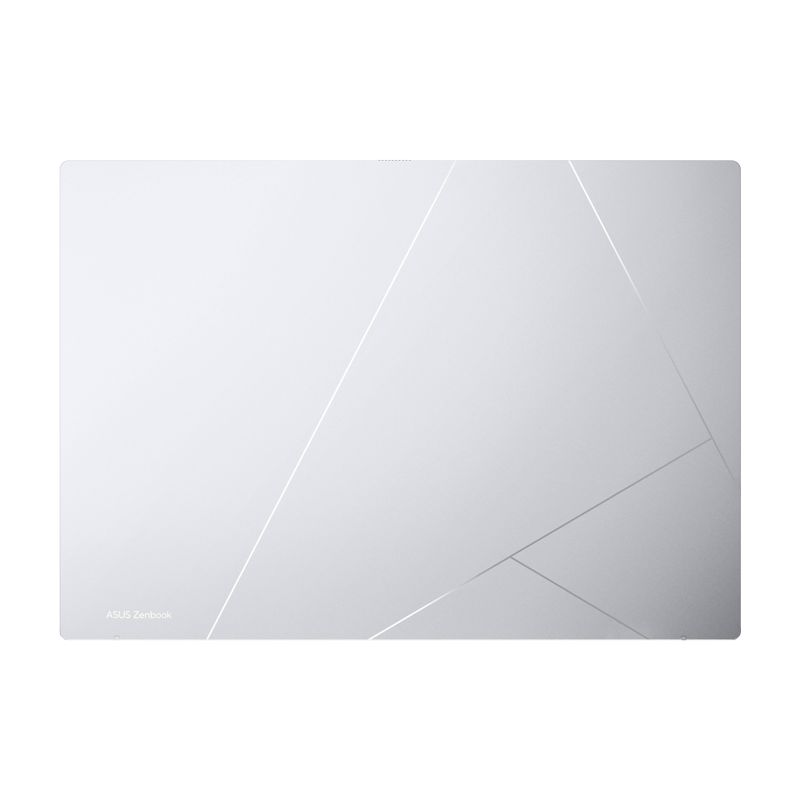
| Asus | Label under the laptop ("Model:"), or MyASUS → System info | Letters + digits + suffix | Zenbook 14 OLED UX3405CA, ROG Strix G16 G614J |
| Acer |
msinfo32 or Acer Care Center. The label's "Model No." starting with N is a regulatory code; use the name |
Series + model like A315-59 | Aspire 3 A315-59, Nitro 5 AN515-43 |
| MSI |
msinfo32 or MSI Center |
Series + model, and the MS-xxxx code on the label | MSI GF65 Thin, Stealth GS65 |
| Samsung | Settings → System → About, or the label (code starting with NP) | Galaxy Book name + size, or the NP code | Galaxy Book 4 Pro 14", Galaxy Book 2 360 NP730QED |
| MacBook | Apple menu → About This Mac | Air or Pro + screen size + chip + year | MacBook Air 13 M5 2026, MacBook Pro 14 M4 |
How do I know which MacBook I have?
Click the Apple logo at the top left and choose About This Mac. You will see something like MacBook Air, 13-inch, M3, 2024. That is all we need. If the Mac will not switch on, the bottom case has a small model number starting with A (for example A2681), which you can search on Apple's support site.
Some MacBooks share one body across several chip generations. Our MacBook skins list those together, for example one MacBook Pro 14 skin fits the M1 to M4 Pro/Max models. The MacBook Air 13 is listed by chip and year, so pick the one that matches About This Mac.
Why the exact model matters for a skin or case
A laptop skin is cut to the millimetre around the ports, vents, hinge, camera and logo. Manufacturers reuse series names for years while changing the body underneath, so "HP Pavilion 15" or "Acer Nitro 5" on its own is not enough. That is why the Capes catalogue lists the Acer Nitro 5 AN515-43 and AN515-55 as separate products, each cut for its own body.
Ordering by series name is the most common reason a skin does not line up. Taking 30 seconds to check msinfo32 avoids that.
Common mistakes
- Using the device name from Settings instead of the model.
- Dropping the suffix: "Zenbook 14" without "UX3405CA", or "Victus 15" without "FA0070TX".
- Using the processor ("i5 12th gen") as the model. The same body ships with several processors, and the same processor ships in many bodies.
- Reading a sticker that is not the laptop's: the charger brick and the battery carry their own model numbers.
Found your model? Find its skin
Search your model on capesindia.com (type just the code, like UX3405CA or 15IRX9), or start from your brand: HP, Dell, Lenovo, Asus, Acer, MSI, Samsung, MacBook, or browse all laptop skins.
Not listed? Tell us your model and we will let you know when its skin is ready. Outside India? Shop on capes.co.
FAQ
Laptop ka model number kaise check kare?
Windows key + R dabaiye, msinfo32 type karke Enter dabaiye. "System Model" wali line aapka model number hai. MacBook mein Apple logo → About This Mac kholiye.
Is the model number the same as the serial number?
No. The serial number (or Dell Service Tag) identifies your single laptop. The model number identifies the design, which is what accessories are made for.
Can I find my laptop model with Command Prompt?
Yes. In PowerShell or Terminal run Get-CimInstance Win32_ComputerSystem | Select-Object Manufacturer, Model. On older Windows versions wmic csproduct get name also works.
My Lenovo shows a code like 82A3. Is that the model?
That is Lenovo's machine type. The name you need, such as Yoga Slim 7 14ITL05, is in msinfo32 under System Family, in Lenovo Vantage, or on the label.
What if the label under my laptop has worn off?
Use msinfo32, the brand's support app, or your purchase invoice. All three show the full model.
Written by Capes, makers of precision-cut skins for laptops, phones and cameras since 2017. Last checked: 9 October 2026.
 HP Victus Gaming 15 FA0070TX Skins & Wraps
 Asus Zenbook 14 OLED UX3405CA Skins & Wraps