

















































MacBook Neo: Which Skins and Covers Fit (and How to Protect It) — Capes
In this guide
- How do you check that you have a MacBook Neo?
- What is the best cover for a MacBook Neo?
- Which Capes skins fit the MacBook Neo?
- Essential, Pro or Max: how much of the Neo should you cover?
- Should you choose a clear or a textured skin for the Neo?
- Do you need a keyboard cover for a MacBook Neo?
- How else can you protect a MacBook Neo?
- Shop MacBook Neo skins
- FAQ
Quick answer: The MacBook Neo needs accessories made for the Neo; a skin cut for a MacBook Air or Pro will not line up. For everyday scratch protection without bulk, a Neo-specific skin is the simplest cover: Capes makes one in Essential, Pro and Max coverage, including a clear Matte Transparent Guard, plus a separate Neo trackpad skin.
"Cover" can mean three different things for a laptop: a skin stuck to the surface, a hard shell that clips on, or a sleeve you slide it into. Each protects against something different. This guide explains which one suits the MacBook Neo, what Capes makes for it, and the habits that keep it looking new.
How do you check that you have a MacBook Neo?
Click the Apple menu and choose About This Mac. The first line shows the model name. If it says MacBook Neo, use the Neo listings below; if it says MacBook Air or MacBook Pro, pick that model's skin instead.
This matters because we cut a separate template for the Neo. Skins made for an Air or Pro are cut for those bodies, and their edges and cut-outs will not match.
What is the best cover for a MacBook Neo?
For most people, a skin for daily scratches plus a padded bag compartment or sleeve for travel. A skin protects the surface all the time without changing the size of the laptop; a hard shell adds corner protection but also bulk.
| Skin | Hard shell case | Sleeve | |
|---|---|---|---|
| Scratches on lid and base | Yes, all the time | Yes, while it is on | Only inside the sleeve |
| Bumps and drops | No | Some, at the corners | Some, in the bag |
| Size and weight | Barely changes | Thicker and heavier | Separate item |
| Grit | Stuck flat, nothing collects underneath | Dust can get trapped between shell and laptop | Keep it clean inside |
| Look | Over 20 finishes, or clear | Limited colours | No change |
Capes makes skins for the MacBook Neo; we do not make a hard shell for it. If you choose a shell from anyone, check that it leaves every vent and port open and take it off now and then to clean out dust.
Which Capes skins fit the MacBook Neo?
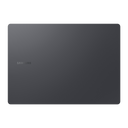
Three listings are cut for the Neo. All of them are precision-cut for this MacBook, and the product pages describe them as bubble-free to apply and residue-free to remove.
Essential, Pro or Max: how much of the Neo should you cover?
If the MacBook Neo goes in a bag every day, choose Pro. The base and corners take as much wear as the lid.
| Coverage | What it covers | Best for |
|---|---|---|
| Essential | Top (lid) | A Neo that mostly sits on a desk, or travels in a padded sleeve |
| Pro | Top, bottom and sides | Daily carry to college or the office |
| Max | Top, bottom, sides, palm rest and trackpad | A matching look inside and out |
Should you choose a clear or a textured skin for the Neo?
Choose clear if you picked your Neo's colour on purpose; choose a texture if you want it to look different or to hide marks.
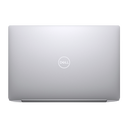
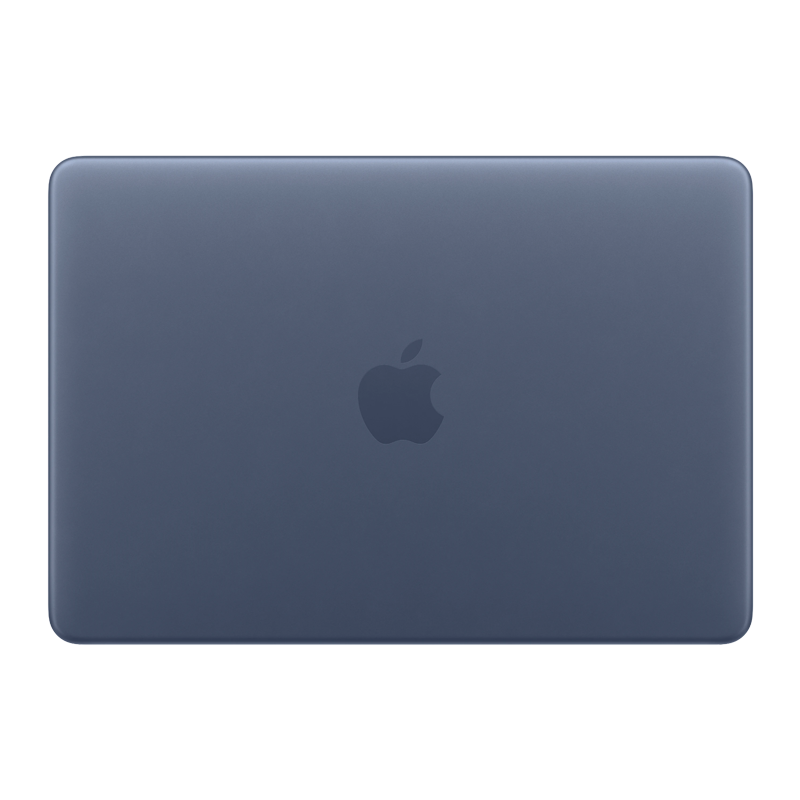
- Matte Transparent Guard: 3M 180C clear vinyl with an Orafol matte lamination. The colour shows through with a soft satin finish that hides fingerprints. Read more in our laptop skin guide.
- Darker finishes such as Forged Carbon, Carbon Fibre Black or Black Leather change the look completely and hide small scratches already on the lid.
- Teardown Black, White or Silver: offered on recent MacBook listings, including the Neo.
Do you need a keyboard cover for a MacBook Neo?
We do not make keyboard covers. Apple advises not closing a Mac laptop with a cover on the keyboard, because there is very little space between the keyboard and the screen. Keep the keyboard clean with a microfibre cloth lightly dampened with water instead, with the laptop switched off. If you want the palm rest and trackpad protected, a skin there is a thin layer rather than a loose cover, but the same Apple advice applies, so Pro coverage is the cautious choice.
How else can you protect a MacBook Neo?
- Carry it in its own padded pocket, away from keys and chargers.
- Lift it rather than sliding it across tables.
- Check the keyboard is clear of crumbs, pens and cables before closing the lid.
- Wipe it with a dry microfibre cloth before packing, so grit does not grind into the lid.
- Apply a skin early, while the finish is still unmarked.
Shop MacBook Neo skins
Go to MacBook Neo Skins & Wraps, add the Neo trackpad skin if you want one, or browse all MacBook skins.
Outside India? Shop on capes.co.
FAQ
Will a MacBook Air skin fit the MacBook Neo?
No. Capes cuts a separate template for the MacBook Neo, and skins made for the Air or Pro are cut for those bodies. Check About This Mac and choose the Neo listing.
Is there a clear skin for the MacBook Neo?
Yes. Choose Matte Transparent Guard on the MacBook Neo skin listing, or pick MacBook Neo on the MacBook Transparent Skins listing. It is a clear matte skin that keeps the Neo's colour visible.
Is a skin or a hard case better for a MacBook Neo?
A skin is better for everyday scratches because it adds almost no bulk and nothing collects underneath it. A hard shell gives some corner protection but adds size and can trap dust. Neither replaces a padded sleeve or bag compartment for travel.
Can I remove the skin from my MacBook Neo later?
Yes. The product page describes residue-free removal. Switch the Neo off, lift a corner with a fingernail and peel slowly, folding the skin back over itself.
MacBook Neo ke liye kaunsa cover lein?
Roz ke scratches se bachane ke liye MacBook Neo ka apna skin lijiye, bag mein le jaate waqt padded sleeve ya padded pocket rakhiye. Original colour dikhana hai to Matte Transparent Guard chuniye.
Written by Capes, makers of precision-cut skins for laptops, phones and cameras since 2017. Last checked: 9 October 2026.
 MacBook Neo Skins & Wraps
 Trackpad Skin - MacBook Neo Skins & Wraps
 MacBook Transparent Skins