


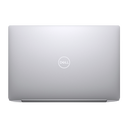
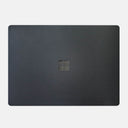

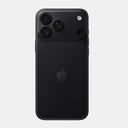














Quick answer: The best laptop skin is cut for your exact model, made from a material the seller names, and offered in the coverage you need. For most people that means a matte transparent skin to keep the original look, or a textured finish for a new look, with top, bottom and side coverage if the laptop travels daily.
"Best" depends on your laptop and how you use it, so this guide gives you the checks to make on any product page, then shows how Capes skins answer each one. We started making skins in 2016 and launched capesindia.com in 2017, and every skin we sell is cut for one specific laptop model.
What makes a laptop skin good?
Four things: an exact-model cut, a named material, the right coverage and a finish you will still like in a year. Price and the number of designs matter less than these.
| Check | Why it matters | How to check on a product page |
|---|---|---|
| Cut for your exact model | Ports, vents, hinges and cameras move between models with the same series name | The listing names your model code, such as UX3405CA or M5 2026, not just "15.6 inch" |
| Named material | Adhesive and film quality decide how it sits, how it ages and how it comes off | The page says what the film is; be wary of "premium vinyl" with nothing else |
| Coverage options | Lid-only protection leaves the base and corners exposed | Separate options for top, bottom and sides, and palm rest where offered |
| Vents left open | Nothing should sit over an air intake or exhaust | The page or photos show cut-outs at every vent |
| Removal | You will want it off before selling or replacing | The seller states how it removes; read reviews about removal |
What are Capes laptop skins made of?
All Capes laptop skins are vinyl films cut for one model. Our transparent skin, Matte Transparent Guard, is made from 3M 180C clear vinyl with an Orafol matte lamination on top.
Our textured and printed finishes are described on the product pages as premium vinyl with a protective coating. The pages also describe them as bubble-free to apply and residue-free to remove. We do not publish thickness or temperature figures, so you will not see them here.
Essential, Pro or Max: how much coverage do you need?
If the laptop goes in a bag every day, choose at least Pro, because the base and corners take as much wear as the lid. Essential is enough if the laptop mostly stays on a desk.
| Coverage | What it covers | Good for |
|---|---|---|
| Essential | Top (lid) | Desk use, or a laptop that lives in a padded sleeve |
| Pro | Top, bottom and sides | Daily carry, college and office bags, laptops used on laps and tables |
| Max | Top, bottom, sides, palm rest and trackpad | A uniform look inside and out, and palm rests that wear or show marks |
Coverage depends on the model. The MacBook Air 13 M5 and MacBook Pro 14 listings offer all three. The HP Victus Gaming 15 FA0070TX offers Essential and Pro. Several Windows models, such as the Asus Zenbook 14 OLED UX3405CA and Lenovo LOQ 15IRX9, are offered in Essential only. The MacBook Transparent Skins listing also sells a palm rest piece or a bottom piece on its own.
Matte transparent or textured: which finish should you pick?
Pick Matte Transparent Guard if you like how your laptop looks and only want to protect it. Pick a textured or printed finish if you want grip, want to hide existing marks, or want the laptop to look different.
| You want | Choose |
|---|---|
| Keep the original MacBook or laptop colour | Matte Transparent Guard |
| Fewer fingerprints on a glossy or dark lid | Matte Transparent Guard, or any textured finish |
| Hide scratches that are already there | An opaque finish such as Forged Carbon, Carbon Fibre Black or Black Leather |
| More grip on a smooth aluminium lid | Black Leather, Forged Carbon or Carbon Fibre Black |
| A warm, natural look | Walnut |
| Something nobody else in class has | Galaxy, Tornado, Lava, Storm, Black Matrix, a camo or a paisley |
The full finish list on each product page includes Matte Transparent Guard, Forged Carbon, Carbon Fibre Black, Black Leather, Walnut, Galaxy, Tornado, Aqua, Coral, Lava, Terrain, Storm, Black Matrix, five camo finishes and three paisleys. Recent MacBook listings also offer the Teardown finishes in black, white and silver.
What is the best skin for a MacBook Air or MacBook Pro?
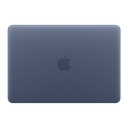
For most MacBook owners, Matte Transparent Guard in Pro coverage: it keeps Apple's colour visible, cuts the shine and fingerprints, and protects the base that sits on desks. Pick the listing that matches About This Mac exactly, because Air and Pro bodies differ by size and year.
What is the best skin for an HP, Lenovo, Asus or Dell laptop?
The one listed under your exact model code. Windows laptops with the same series name, like Victus 15 or Zenbook 14, change their vents and ports between models, so search the code from msinfo32 rather than the series.
Gaming laptops such as the HP Victus or Lenovo LOQ often have vents on the base, sides and back; our Windows product pages describe the skins as cut so they do not block vents or ports. Thin-and-light laptops with smooth lids benefit most from a textured finish for grip.
Shop laptop skins by brand
Start from all laptop skins, or your brand: MacBook, HP, Dell, Lenovo, Asus, Acer, MSI or Samsung. Model not listed? Tell us your model. Still deciding whether you need a skin at all? Read laptop skin vs case.
Outside India? Shop on capes.co.
FAQ
Which laptop skin is better, glossy or matte?
Matte, for most people. It hides fingerprints, smudges and fine scratches and does not reflect light on video calls. Gloss looks shinier but shows every mark.
What is the best laptop skin for a MacBook Air?
Matte Transparent Guard in Pro coverage suits most MacBook Air owners: Apple's colour stays visible and the lid, base and sides are covered. Pick the listing that matches the chip and year in About This Mac.
Is a full body laptop skin better than a top skin?
If you carry the laptop every day, yes. The base and corners rub against bags and desks as much as the lid does. Pro covers top, bottom and sides; Max adds the palm rest and trackpad where the model offers it.
Can I apply a laptop skin myself?
Yes. Clean the surface with a lint-free cloth, hold each piece in place before peeling the backing to check the cut-outs line up, then press from the centre outwards. Take your time on the lid piece.
Sabse accha laptop skin kaunsa hai?
Jo aapke exact laptop model ke liye cut kiya gaya ho. Original colour rakhna hai to Matte Transparent Guard lijiye, naya look aur grip chahiye to Forged Carbon ya Black Leather jaisa textured finish lijiye.
Written by Capes, makers of precision-cut skins for laptops, phones and cameras since 2017. Last checked: 9 October 2026.

Leave a comment
This site is protected by hCaptcha and the hCaptcha Privacy Policy and Terms of Service apply.