

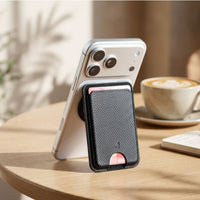
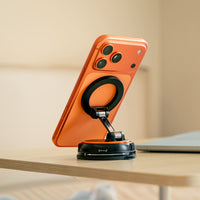







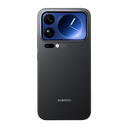



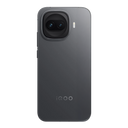






























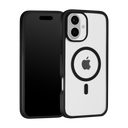


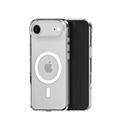


Quick answer: The best mobile skin is one cut for your exact phone model, made from good vinyl, designed to remove cleanly and safe for MagSafe and wireless charging. A skin stops scratches and adds grip and style with no bulk, but it won't protect against drops. A back cover protects against drops. Choose by which risk worries you more.
"Skin or cover?" is one of the most common questions we get, and the honest answer is that they do different jobs. A skin is a thin vinyl layer that keeps the back and sides of your phone looking new. A back cover is a shell that takes the hit when the phone falls. This guide explains what to look for in a good mobile skin, how a skin compares with a back cover, and which one fits the way you use your phone.
What is a mobile skin?
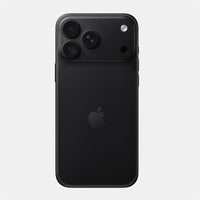
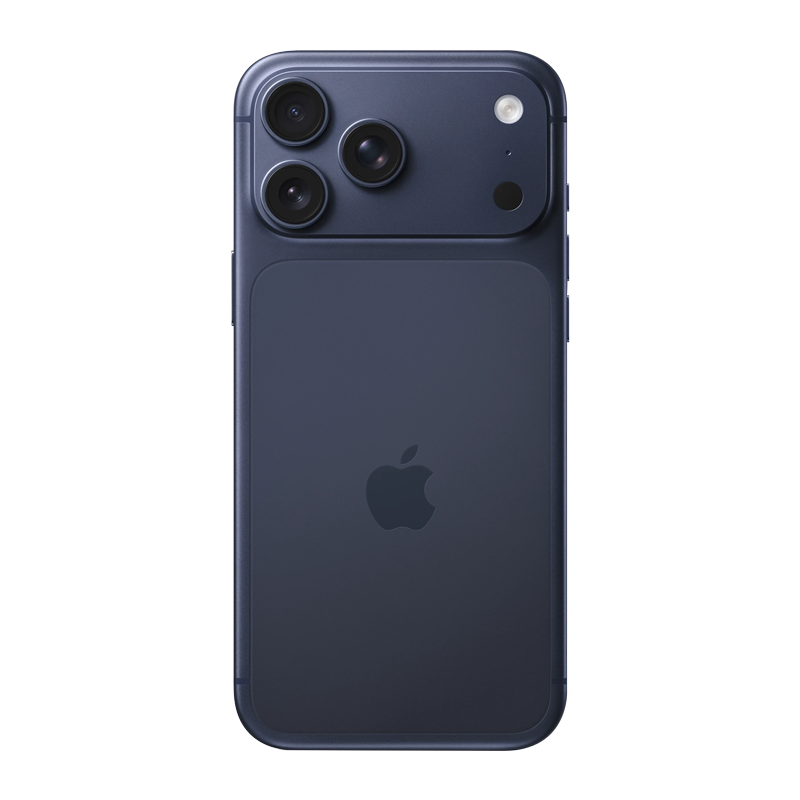
A mobile skin is a precision-cut vinyl wrap that sticks directly to the back (and on some models the sides) of your phone. It protects the surface from scratches, scuffs and fingerprints and changes the look and feel without adding bulk.
People also call it a mobile back sticker or a phone wrap. The difference between a good skin and a cheap sticker is in the cut and the material: a skin made for your exact model lines up with the camera, buttons and edges, and its adhesive is made to come off without damaging the finish.
How do I choose the best mobile skin?
Check five things: an exact-model cut, the coverage, the finish, clean removal and charging compatibility.
| What to check | Why it matters | What Capes skins do |
|---|---|---|
| Cut for your exact model | Camera modules and button positions change every year, even within one series | Every skin is cut for one model, for example iPhone 17 Pro and iPhone 17 Pro Max are separate products |
| Coverage | Decides whether the sides and frame are protected or only the back | Shown on each product page: Full Body on the iPhone 17 Pro, Glass Back on the Galaxy S26 Ultra |
| Finish | Texture changes grip, and some finishes hide fingerprints better | Dozens of textures, from carbon fibre and leather to camo, paisley and Matte Transparent Guard |
| Clean removal | You may want to change the look or sell the phone later | Designed to remove cleanly from the phone's surface |
| Charging | A skin should not get in the way of MagSafe or wireless charging | Thin vinyl that works with MagSafe and wireless charging |
Want your phone's own colour to show? Pick a matte transparent skin. It keeps the original finish visible while protecting it from scratches and fingerprints.
Mobile skin vs back cover: what's the difference?
A skin protects the surface and keeps the phone slim; a back cover protects against drops but adds bulk and hides the design.
| Mobile skin | Back cover / case | |
|---|---|---|
| Drop protection | No | Yes, especially with raised edges and shock-absorbing corners |
| Scratches and scuffs on the back and sides | Yes | Yes on the outside; fine grit can still get trapped underneath |
| Bulk and weight | Practically none | Adds thickness and weight |
| Look | Changes the phone's look, or keeps it with a transparent finish | Hides the phone, unless the case is clear |
| Grip | Textured finishes add grip | Depends on the case material |
| MagSafe and wireless charging | Works through a thin skin | Needs a MagSafe-compatible case for magnetic accessories |
| Turns yellow? | Not an issue with coloured textures | Clear TPU covers yellow; polycarbonate holds up much longer |
Skin, cover or both: which do you need?
If you rarely drop your phone and hate bulk, a skin is enough. If drops worry you, use a case. If you want both looks and drop protection, there are ways to combine them.
- You like the phone slim and bare: a full-body skin. Your phone keeps its shape and feel, and the surface stays scratch-free.
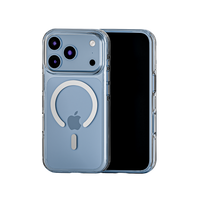
- You want to show off the phone's colour: a matte transparent skin, or a clear case if you also want drop protection.
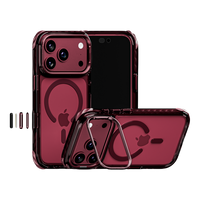
- You drop your phone often: a protective case with raised camera and screen edges.
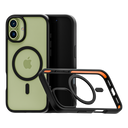
- You want drop protection and a texture you choose: a case that takes a skin on the outside, like Impact Armour, which can be customised with 20+ textures.
Prefer a case that stays clear? See Clear Armour, a polycarbonate hard shell made with 100 Year Anti-Yellow material, and our guide on why clear cases turn yellow.
Is a mobile skin good or bad for your phone?
A well-made skin is safe for your phone. It protects the finish, and a skin designed to remove cleanly comes off without damaging the surface.
- Heat: a skin is a thin layer of vinyl, far thinner than a case, so it is not what makes a phone hot. Heavy gaming, fast charging and direct sun are the usual causes.
- Charging: MagSafe and wireless charging work through a thin skin, so you don't need to remove it to charge.
- Removal: peel slowly from a corner at a low angle. If the phone has been in the cold, let it warm to room temperature first so the vinyl stays flexible.
- What a skin can't do: it won't stop a cracked back or screen in a fall. For that you need a case.
Which phones do Capes skins fit?
Capes makes skins for iPhone, Samsung Galaxy, OnePlus, Google Pixel and Nothing phones, each cut for one model. Browse by brand: iPhone, Samsung, OnePlus, Google Pixel and Nothing.
Before you order, check your exact model name in Settings → About phone (Android) or Settings → General → About (iPhone). "Pro", "Plus", "Ultra" and "FE" versions all have different camera layouts.
Find the skin for your phone
See every model and texture in our mobile skins collection. Outside India? Shop on capes.co.
FAQ
Mobile skin achha hai ya back cover?
Dono ka kaam alag hai. Skin phone ko scratch aur fingerprint se bachati hai aur phone patla rehta hai, lekin girne par protection nahi deti. Back cover girne se bachata hai par phone bulky ho jata hai. Agar phone kam girta hai to skin, aur zyada girta hai to cover lijiye.
Does a mobile skin protect against drops?
No. A skin protects the surface from scratches, scuffs and fingerprints. For drop protection you need a case with raised edges and shock-absorbing corners.
Does a mobile skin cause heating?
No. A skin is a thin vinyl layer, far thinner than a case. Phones heat up from heavy use, fast charging and direct sun, not from a thin skin.
Can a mobile skin be removed?
Yes. Capes skins are designed to remove cleanly. Peel slowly from a corner at a low angle, ideally at room temperature.
Does MagSafe or wireless charging work with a skin?
Yes. MagSafe and wireless charging work through a thin Capes skin, so you don't need to take it off to charge.
Written by Capes. Last checked: 9 October 2026.

Leave a comment
This site is protected by hCaptcha and the hCaptcha Privacy Policy and Terms of Service apply.