








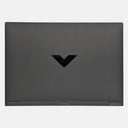
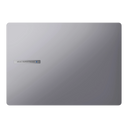
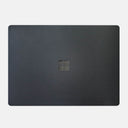

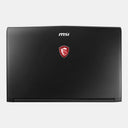






















































Quick answer: A well-cut laptop skin is good for most laptops. It is a thin vinyl layer that takes scratches instead of the lid and base, and a properly cut skin leaves every vent open, so it does not get in the way of cooling. It will not stop dents, and a badly cut skin can lift or leave adhesive behind.
People usually ask this for one of three reasons: they worry a skin will make the laptop hotter, that it will ruin the finish when it comes off, or that a hard case would protect it better. Below is a straight answer to each, including the things a skin cannot do.
We make skins, so we have a stake in the answer. That is why this page only states what you can check yourself on a product page or with your own laptop.
Is a laptop skin good or bad for your laptop?
Good, if it is cut for your exact model and applied on a clean surface. The skin is the part that gets scratched, scuffed and rubbed shiny, so the lid and base underneath stay as they were.
What a skin does well:
- Stops everyday scratches and scuffs on the lid, base and sides from bags, desks, keys and chargers.
- Hides fingerprints and smudges on glossy or dark lids, especially with a matte finish.
- Adds grip on smooth aluminium lids if you pick a textured finish.
- Changes the look without paint or permanent changes, and you can peel it off later.
The honest disadvantages:
- It does not protect against drops or dents. It is a surface layer, not padding.
- Fit depends on the cut. A generic "15.6 inch" sticker will not line up with your ports, hinge or vents.
- Applying it takes patience. Ten careful minutes on a clean, dust-free lid make the difference between a clean finish and trapped dust.
- It covers the original look, unless you choose a transparent skin.
Does a laptop skin affect cooling or make a laptop heat up?
A skin that leaves the vents open does not get in the way of how your laptop cools itself. Laptops push heat out through their vents with fans, and a properly cut skin covers only the flat panels around those openings.
Our Windows laptop product pages describe each skin as cut so it does not block vents, ports or other essential areas, and every Capes skin is cut for one specific model rather than a size range. We have not published temperature tests, so we will not quote heat numbers. What you can check yourself:
- Hold the skin piece up to your laptop before peeling the backing. Every vent, grille and port should line up with an opening.
- Never stick a skin, sticker or tape over a vent, and never trim a skin to cover one.
- Most heating problems come from blocked airflow: using the laptop on a bed, pillow or blanket, or dust inside the vents. A skin does not change that either way.
Hard shell cases are a different object. They wrap around the whole lid and base, so check that any shell you buy leaves every vent and the rubber feet free.
Will a skin damage the finish or leave residue when you remove it?
A quality skin is designed to remove cleanly. Our product pages describe residue-free removal, and in practice how cleanly a skin comes off also depends on how you peel it.
How to remove a skin safely:
- Switch the laptop off and let it cool to room temperature.
- Lift one corner with a fingernail or a plastic card. Never use a blade or a screwdriver.
- Peel slowly and low, folding the skin back over itself rather than pulling it straight up.
- If a corner feels stuck, warm it for a few seconds with a hair dryer on low and try again.
- If any adhesive is left, wipe it with a soft cloth lightly moistened with isopropyl alcohol, never sprayed straight onto the laptop.
Skins bought as loose sheets and cut by hand often use adhesive that is not made for electronics. That is where most residue stories come from, which is why the material and the cut matter more than the price.
Laptop skin vs hard case vs sleeve: which protects better?
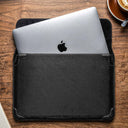
They protect against different things. A skin protects the surface all the time, a sleeve protects the laptop while it is in your bag, and a hard shell sits in between.
| Skin | Hard shell case | Sleeve | |
|---|---|---|---|
| Scratches on the lid and base | Yes, all the time | Yes, while it is on | Only while the laptop is inside it |
| Drops and dents | No | Some, at the corners | Some, in the bag |
| Bulk and weight | Barely noticeable | Noticeable | Separate item to carry |
| Vents | Left open by the cut | Check each design | Not in use while the laptop runs |
| Dust and grit | Stuck flat to the surface, so grit cannot collect underneath | Grit can get trapped between shell and laptop | Keep the inside clean |
| Look | Any finish, or transparent | Limited colours | No change |
For most people the best combination is a skin for daily scratches plus a padded sleeve or a padded bag compartment for travel.
Does a skin help the resale value of a laptop?
It helps keep the outside in the condition buyers check first. Anyone buying a used laptop looks at the lid, the corners and the palm rest before anything else, and those are the areas a skin covers.
Peel the skin off before you sell, wipe the lid with a dry microfibre cloth, and the buyer sees the original finish. A skin cannot undo scratches that were already there, so it pays to apply it early.
How do you choose a safe laptop skin?
Check three things on the product page before you buy: that it is made for your exact model, which parts it covers, and what it is made of.
-
Exact model: find your model code first (on Windows, press Windows + R and type
msinfo32; on a Mac, open About This Mac). - Coverage: on Capes skins, Essential covers the top, Pro adds the bottom and sides, and Max adds the palm rest and trackpad. Not every model offers all three; the product page lists what is available for yours.
- Finish: textured and printed finishes change the look and add grip. Matte Transparent Guard keeps your laptop's own colour; it is made from 3M 180C clear vinyl with an Orafol matte lamination.
Find a skin for your laptop
Browse all laptop skins or go straight to MacBook skins. If your model is not listed, tell us your model. For more on finishes and coverage, read our guide to the best laptop skins.
Outside India? Shop on capes.co.
FAQ
Are laptop skins safe for laptops?
Yes, when the skin is cut for your exact model and leaves every vent and port open. It is a thin surface layer that takes scratches instead of the original finish. It does not protect against drops or dents.
Can a laptop skin be removed later?
Yes. Switch the laptop off, lift a corner with a fingernail or plastic card and peel slowly, folding the skin back over itself. If any adhesive is left, wipe it with a cloth lightly moistened with isopropyl alcohol.
Which laptop skin is better, glossy or matte?
Matte hides fingerprints, smudges and fine scratches better and does not reflect light. Gloss looks shinier but shows every fingerprint. The Capes transparent laptop skin, Matte Transparent Guard, is matte.
Does a laptop skin protect against dents?
No. A skin protects the surface from scratches and scuffs. For bumps and pressure in a bag, use a padded sleeve or a padded laptop compartment.
Laptop skin lagana accha hai ya bura?
Accha hai, agar skin aapke exact model ke liye cut kiya gaya ho aur vents khule rahein. Skin lid aur base ko scratches se bachata hai, lekin drop ya dent se nahi bachata.
Written by Capes, makers of precision-cut skins for laptops, phones and cameras since 2017. Last checked: 9 October 2026.


Leave a comment
This site is protected by hCaptcha and the hCaptcha Privacy Policy and Terms of Service apply.