



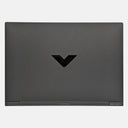

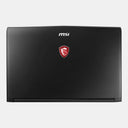




HP Victus and Omen Laptop Skin Guide: Find Your Exact Model Before You Buy | A Capes Guide

In this guide
- How do I find my exact HP Victus or Omen model?
- Which Victus and Omen listings does Capes have?
- What do Essential, Pro and Max cover on an HP gaming laptop?
- Which finish suits a Victus or Omen gaming laptop?
- Can I apply and remove the skin myself?
- Ready to find your HP skin?
- Complete your laptop setup with Capes
- FAQ
Quick answer: Capes has skins for five HP Victus and Omen listings. Find your exact model code on the label under the laptop or in Windows Settings, System, About, then match it to the listing title. Coverage differs by listing: Essential only for the Victus 16 and Omen 16, more tiers for the 15-inch models.
By Capes. Published 26 November 2026. Updated 26 November 2026.
HP sells many Victus and Omen laptops with similar names, and the difference is in the code at the end: FA0070TX, FB0082AX, 16-E0175AX, 16-C0138AX. A skin is cut to the exact outline, so a near miss means misaligned vents, logo and edges.
This guide shows how to find your code, which Capes listings exist, and how to choose coverage and finish.
How do I find my exact HP Victus or Omen model?
The full model name, such as Victus Gaming 15 FA0070TX, is usually on the label under the laptop, on the retail box and invoice, and in Windows under Settings, System, About. HP's support page for your serial number also lists it.
- Note whether the screen is 15-inch or 16-inch, and whether it says Victus or Omen on the lid.
- Read the code that follows the name, such as FA0070TX or 16-E0175AX.
- Match the code letter for letter to the listing title below.
If your code is not listed, write to us before ordering the nearest one.
Which Victus and Omen listings does Capes have?
Capes has five listings, each cut for one exact model. Sibling models with a similar name need a different listing, or are not covered.
| Model | Capes listing | Coverage options |
|---|---|---|
| HP Victus Gaming 15 FA0070TX | FA0070TX skins | Essential, Pro |
| HP Victus Gaming 15 FB0082AX | FB0082AX skins | Essential, Pro, Max |
| HP Victus 16-E0175AX | 16-E0175AX skins | Essential |
| HP Omen 16-C0138AX | 16-C0138AX skins | Essential |
| HP Omen Laptop 15 | Omen Laptop 15 skins | Essential, Pro, Max |
Do not use the FA0070TX skin on the FB0082AX, or a 15-inch skin on a 16-inch laptop. The 16-inch Victus and Omen are separate listings.
What do Essential, Pro and Max cover on an HP gaming laptop?
Essential is the lid. Pro adds the bottom and sides. Max is full coverage including the palm rest and trackpad. Capes defines these tiers on its MacBook listings, and the HP pages describe the same names, so check the coverage menu on your listing.
| Tier | What it means on Capes laptop skins | Choose it if |
|---|---|---|
| Essential | Top skin protection | The lid is what you see and scratch |
| Pro | Top, bottom and side protection | The laptop travels in a bag |
| Max | Full coverage including the palm rest and trackpad | You want one look across the whole body |
The pages describe the skins as precisely cut to leave vents and ports open and as heat-friendly compared with bulky cases.
Which finish suits a Victus or Omen gaming laptop?
For a gaming laptop, dark textured finishes are popular because they hide marks and add grip. Matte Transparent Guard keeps the original lid and cuts shine. All five listings carry 22 finishes.
- Matte Transparent Guard. A clear vinyl film with a matte protective layer.
- Dark textures. Forged Carbon, Carbon Fibre Black, Black Leather and Black Matrix.
- Bold designs. Galaxy, Tornado, Lava, Storm, Aqua, Coral and Terrain.
- Camo, paisley and more. Five camo finishes, three paisleys, Walnut and a satin silver finish.
Capes sells authentic 3M textures. Skins carry no warranty and are designed to remove cleanly.
Can I apply and remove the skin myself?
Yes. Clean the surface with a lint-free cloth, hold each piece in place before peeling the backing to check the cut-outs line up, then press from the centre outwards. Take your time on the first piece. The product pages describe the skins as bubble-free to apply and designed to remove cleanly; follow the instructions in the box.
Ready to find your HP skin?
Check your code, then browse the HP laptop skins collection or open the Victus 15 FA0070TX skin. Outside India? Shop on capes.co.
Complete your laptop setup with Capes
A skin protects the lid and body. Capes makes the rest of the setup too, so everything matches and fits:
- Skin: precision-cut for your exact model, in Essential, Pro or Max coverage on MacBooks. Browse laptop skins.
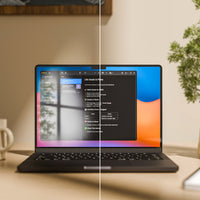
- Glare Armour (for MacBooks): an anti-glare matte screen protector made with Japanese anti-reflection film, cut for your MacBook. See Glare Armour.
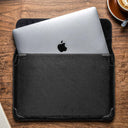
- Elevate Armour laptop sleeve: a padded sleeve whose cover folds into a laptop stand. See the sleeves.
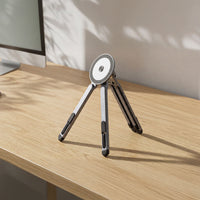
- 3-in-1 MagLock Stand: a laptop riser, MagSafe phone stand and tablet stand in one. See the stand.
FAQ
Which skin fits the HP Victus 15?
It depends on the exact code. Capes has separate listings for the Victus Gaming 15 FA0070TX and the Victus Gaming 15 FB0082AX. Match the code letter for letter.
Does Capes make skins for the HP Omen?
Yes. There are listings for the HP Omen 16-C0138AX and the HP Omen Laptop 15.
Will an HP Victus skin fit another Victus model?
Do not assume so. Each skin is cut to one model. Use the listing that matches your exact code, or write to us if yours is not listed.
What coverage options do the HP skins have?
Coverage varies by listing: Essential only on the Victus 16-E0175AX and Omen 16-C0138AX, Essential and Pro on the Victus 15 FA0070TX, and Essential, Pro and Max on the Victus 15 FB0082AX and Omen Laptop 15.
Will a skin block the vents on a gaming laptop?
The listings say the skins are precisely cut to leave vents and ports open. Check that the cut-outs line up before pressing the skin down.
HP Victus ka model code kahan milta hai?
Laptop ke neeche wale label par, box ya invoice par, ya Windows Settings, System, About mein. Listing ke title se code ekdum match karna chahiye.
Written by Capes. Last checked: 26 November 2026.
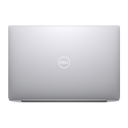
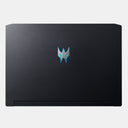
 HP Victus Gaming 15 FA0070TX Skins & Wraps
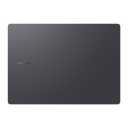
 HP Omen 16-C0138AX Skins & Wraps