




Best Skin for MacBook Air 13 M5 (Also Fits M2, M3 and M4): Essential vs Pro vs Max | A Capes Guide

In this guide
- Which coverage is best for a MacBook Air 13 M5: Essential, Pro or Max?
- Does one skin fit the MacBook Air 13 M2, M3, M4 and M5?
- Transparent or textured: which finish suits a MacBook Air 13 M5?
- Skin or sleeve for a MacBook Air 13 M5?
- Ready to pick your MacBook Air skin?
- Complete your laptop setup with Capes
- FAQ
Quick answer: For most MacBook Air 13 M5 owners the best skin is Pro coverage (top, bottom and sides) in Matte Transparent Guard. Choose Essential for desk use, Max to add the palm rest and trackpad, or a textured finish for grip. The same cut fits the Air 13 M2, M3, M4 and M5.
By Capes. Published 26 November 2026. Updated 26 November 2026.
The MacBook Air 13 M5 is a thin aluminium laptop that goes in a bag every day, so the lid, base and corners pick up marks quickly. A skin is a thin vinyl layer that guards against scratches and scuffs and lets you keep or change the look.
This guide answers the questions people ask before buying: which coverage tier, which finish, whether your exact MacBook Air is covered, and whether you need a sleeve as well.
Which coverage is best for a MacBook Air 13 M5: Essential, Pro or Max?
Pro suits most people because it covers the top, bottom and sides, and the base and edges wear as much as the lid. Essential is enough for a laptop that lives on a desk. Max is for a matching look inside and out.
| Option | What it covers | Best for |
|---|---|---|
| Essential | Top skin protection (the lid) | Desk use, or a MacBook that travels in a padded sleeve |
| Pro | Top, bottom and side protection | Daily carry in a backpack, college and office use |
| Max | Full coverage including the palm rest and trackpad | A uniform look, and palm rests that show marks |
On Max coverage the lid closes normally. Capes has sold MacBook skins for many years, including palm rest and trackpad pieces, with no complaints about closing the lid.
Does one skin fit the MacBook Air 13 M2, M3, M4 and M5?
Yes. The MacBook Air 13 M5 (2026) skin uses the same cut as the Air 13 M2, M3 and M4, so one skin fits all four. Each model still has its own listing, so pick the one that matches your laptop.
To confirm what you have, open the Apple menu and choose About This Mac. It shows the chip and the year. The product description and feature images on the Air listing also show how to find your model.
| Your MacBook | Capes listing |
|---|---|
| MacBook Air 13 M5 (2026) | MacBook Air 13 M5 2026 skins |
| MacBook Air 13 M4 (2025) | MacBook Air 13 M4 2025 skins |
| MacBook Air 13 M3 (2024) | MacBook Air 13 M3 2024 skins |
| MacBook Air 13 M2 (2022) | MacBook Air 13 M2 2022 skins |
| MacBook Air 13 M1 (2020) | MacBook Air 13 M1 2020 skins (separate listing) |
| MacBook Air 15-inch | MacBook Air 15 M5 2026 skins (a different size, separate listing) |
Do not assume a skin for the 15-inch Air, the M1 Air or a MacBook Pro fits a 13-inch Air M5. Choose the listing for your exact model.
Transparent or textured: which finish suits a MacBook Air 13 M5?
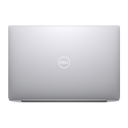
Choose Matte Transparent Guard if you like how the Air looks and only want protection. Choose a textured finish for grip, to hide marks that are already there, or to change the look. The listing offers 25 finishes.
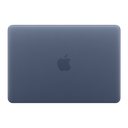
- Matte Transparent Guard. A clear vinyl film with a matte protective layer. It keeps the original colour visible and cuts shine and fingerprints.
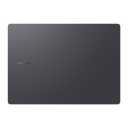
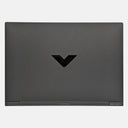
- Forged Carbon, Carbon Fibre Black and Black Leather. Dark, textured finishes with a grippy feel that also hide marks.
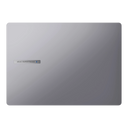
- Walnut and satin silver. A warm wood look, and a metallic satin look.
- Galaxy, Tornado, Lava, Storm, Aqua, Coral, Terrain and Black Matrix. Bold, patterned designs.
- Camo and paisley. Five camo finishes (Black, Forest, Snow, Military and Dessert) and three paisleys (white, black and brown).
The M5 Air listing also includes Teardown Black, Teardown White and Teardown Silver. Our textures are authentic 3M films, and the pages describe the skins as bubble-free to apply and designed to remove cleanly.
Skin or sleeve for a MacBook Air 13 M5?
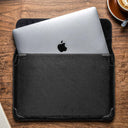
They do different jobs, and many people use both. A skin protects the surface from scratches and scuffs and adds almost no bulk. A sleeve protects the whole laptop from bag knocks. A skin does not absorb a drop.
| Need | Skin | Sleeve |
|---|---|---|
| Scratches and scuffs on the lid and base | Yes | Only while inside it |
| Bag knocks and pressure | No | Yes |
| Changing the look | Yes | Limited |
| Protecting the screen | No | No |
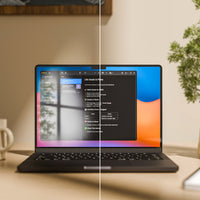
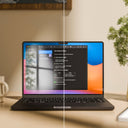
The screen needs its own protection. Glare Armouris a matte anti-reflection screen protector for MacBook.
Ready to pick your MacBook Air skin?
Open the MacBook Air 13 M5 skin, choose Pro coverage and a finish, or browse the full MacBook skins collection. Outside India? Shop on capes.co.
Complete your laptop setup with Capes
A skin protects the lid and body. Capes makes the rest of the setup too, so everything matches and fits:
- Skin: precision-cut for your exact model, in Essential, Pro or Max coverage on MacBooks. Browse laptop skins.
- Glare Armour: an anti-glare matte screen protector made with Japanese anti-reflection film, cut for your MacBook. See Glare Armour.
- Elevate Armour laptop sleeve: a padded sleeve whose cover folds into a laptop stand. See the sleeves.
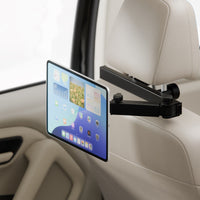
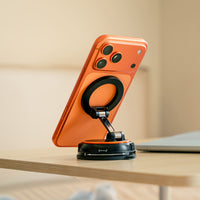
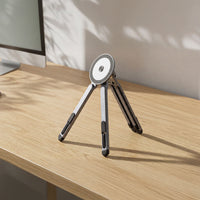
- 3-in-1 MagLock Stand: a laptop riser, MagSafe phone stand and tablet stand in one. See the stand.
FAQ
What is the best skin for a MacBook Air 13 M5?
Pro coverage in Matte Transparent Guard suits most people: it covers the top, bottom and sides and keeps Apple's colour visible. Choose Essential for desk use, Max to add the palm rest and trackpad, or a textured finish for grip.
Will a MacBook Air M5 skin fit the M2, M3 or M4?
Yes. The Air 13 M5 skin is the same cut as the Air 13 M2, M3 and M4, so one skin fits all four. Each has its own listing on Capes, so choose the one that matches your laptop.
Does Max coverage stop the MacBook lid from closing?
No. The lid closes normally with Max coverage. Capes has sold MacBook skins with palm rest and trackpad pieces for many years with no complaints about closing the lid.
Is a transparent or textured skin better for a MacBook Air?
Transparent keeps the original colour and adds protection. Textured finishes add grip, hide existing marks and change the look. It depends on whether you want to keep or change how the Air looks.
Do I still need a sleeve if I use a skin?
A skin guards against scratches and scuffs but does not absorb a drop. A padded sleeve covers bag knocks, so many people use both.
MacBook Air M5 ke liye kaunsa skin lena chahiye?
Roz bag mein le jaate ho to Pro coverage lijiye (upar, neeche aur sides). Sirf desk par rehta hai to Essential kaafi hai. Palm rest aur trackpad bhi cover karna ho to Max chuniye.
Written by Capes. Last checked: 26 November 2026.
 MacBook Air 13 M5 2026 Skins & Wraps