













































































Quick answer: Most laptop scratches come from grit, keys, zips and chargers rubbing the lid and base. Prevent them by giving the laptop its own padded pocket, wiping grit off before packing, and covering the lid and base with a skin. An opaque skin hides light existing scratches; no skin repairs dents or deep gouges.
A laptop lid picks up marks in ways that do not feel like rough handling: sliding across a café table, sharing a bag pocket with a charger, a phone placed on top. The base gets it worse, because it sits on every surface the laptop does.
This guide covers what causes the damage, the habits that stop it, what you can honestly fix at home, and how to hide what is already there.
What causes scratches on a laptop?
Hard or gritty things moving against the surface. The usual culprits are the same for every brand.
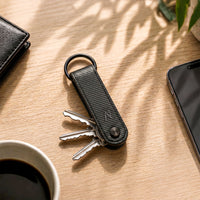
- Bags: keys, coins, chargers, metal zips and sand in the same pocket as the laptop.
- Desks and tables: grit and crumbs under the base when you slide the laptop around.
- Things placed on the lid: phones, mugs, notebooks with spiral bindings, other laptops in a stack.
- Hands and wrists: watches, bracelets and rings on the palm rest.
- Inside the lid: crumbs or a cable left on the keyboard can mark the screen when you close it.
Many Windows laptops use painted plastic or coated aluminium for the lid, which shows scuffs quickly. MacBooks use anodised aluminium, which also scratches and shows marks, especially around the edges and ports.
How can you prevent laptop scratches?
Keep hard objects away from the laptop and put a layer on the surfaces that touch things. These habits cost nothing:
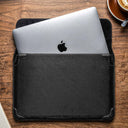
- Give the laptop its own padded pocket or sleeve; never carry it loose with chargers and keys.
- Lift the laptop instead of sliding it across tables.
- Wipe the lid and base with a dry microfibre cloth before packing, so grit is not ground in.
- Check the keyboard is clear before closing the lid.
- Take off a metal watch or bracelet for long typing sessions, or rest your wrist on a skinned palm rest.
Then add surface protection. A skin stays on the laptop all the time, so it covers the moments a sleeve does not: on your desk, in a meeting, on your lap.
Can scratches on a laptop be removed?
Light marks on the surface can sometimes be wiped away; real scratches in the finish cannot be undone at home without risk. Before trying anything, check whether it is a scratch or a mark: wipe it with a soft cloth lightly dampened with water. If it disappears, it was residue, not a scratch.
| Damage | Can you fix it at home? | Best option |
|---|---|---|
| Marks, smudges, transfer from bags | Usually yes | Soft cloth, lightly damp; nothing abrasive |
| Light scuffs in the finish | Not really | Hide them with an opaque skin |
| Deep scratches, chipped paint | No | Hide with an opaque skin, or replace the panel at a service centre |
| Dents and bent corners | No | Service centre; a skin will not flatten a dent |
| Scratches on the screen | No | Service centre; skins do not cover the screen |
Be careful with internet tricks such as toothpaste, polishing compounds or melamine sponges. They work by grinding the surface, which can strip paint or coatings and leave a dull patch bigger than the scratch. Laptop makers advise against abrasive cleaners for the same reason.
How do you hide scratches you already have?
Cover them with an opaque skin. A solid, patterned or textured finish sits over light scratches and scuffs so they no longer show, and it stops new ones forming.
- Best at hiding: dark or busy finishes such as Forged Carbon, Carbon Fibre Black, Black Leather, a camo or Walnut.
- Will not hide much: a transparent skin. Deep scratches and chips show through clear film; light scuffs become less noticeable under a matte layer.
- Deep gouges or dents: may show as a line or bump under any skin, because the skin follows the surface.
Clean the lid well before applying, so no dust sits inside the scratches under the skin.
Which parts of the laptop need covering?
Cover the surfaces that touch things. For most people that is the lid, the base and the sides.
| Where you see wear | Usual cause | Capes coverage |
|---|---|---|
| Lid | Bags, things placed on top | Essential (top) |
| Base and corners | Desks, laps, sliding | Pro (top, bottom and sides) |
| Around the ports | Chargers and cables going in and out | Pro |
| Palm rest and trackpad | Wrists, watches, hand oils | Max, where the model offers it |
Does a skin help when you sell the laptop?
Yes, if you apply it while the laptop is still clean. The skin takes the wear for as long as you own the laptop; peel it off before selling and the buyer sees the original finish. It cannot reverse scratches that were there before it went on.
Find a skin for your laptop
Search your exact model in laptop skins, or start from MacBook, HP, Dell, Lenovo, Asus, Acer, MSI or Samsung. Model not listed? Tell us your model. Wondering whether a skin is safe? Read laptop skin vs case.
Outside India? Shop on capes.co.
FAQ
Are scratches on a laptop normal?
Light marks on the lid, base and around the ports are normal with daily use, especially from bags and desks. They are cosmetic and do not affect how the laptop works.
Can toothpaste remove laptop scratches?
We do not recommend it. Toothpaste is mildly abrasive, so it can dull or strip the paint and coating around the scratch. Laptop makers advise against abrasive cleaners.
Will a skin fix a dent in my laptop?
No. A skin follows the surface it is stuck to, so a dent stays a dent. It hides light scratches and scuffs and prevents new ones.
Does a laptop skin protect the screen?
No. Laptop skins cover the lid, base, sides and, with Max coverage, the palm rest and trackpad. Keep the keyboard clear before closing the lid to avoid marks on the screen.
Laptop par scratch kaise chhupaye?
Laptop ko achhe se saaf karke uske exact model ka opaque skin lagaiye, jaise Forged Carbon ya Black Leather. Halke scratches chhup jaate hain aur naye scratches nahi aate, lekin dent theek nahi hota.
Written by Capes, makers of precision-cut skins for laptops, phones and cameras since 2017. Last checked: 9 October 2026.
![MagLock 4-in-1 Flat Magnetic 240W Fast Charging Cable [1M]](http://www.capesindia.com/cdn/shop/articles/cable_hero_shot.jpg?v=1791453860&width=2080)

Leave a comment
This site is protected by hCaptcha and the hCaptcha Privacy Policy and Terms of Service apply.