











Best USB-C and 4-in-1 Fast Charging Cables in India (2026): For Laptop, Phone and Car | Capes

In this guide
- Which fast charging cable should I buy in India?
- What types of fast charging cable are there?
- What does 240W mean on a charging cable?
- What is an E-Marker chip, and do I need one?
- Which devices do the MagLock cables charge?
- Will it work in the car, with a 12V charger and CarPlay?
- Capes MagLock cables: what each one does
- What should I check before buying any 240W cable?
- Verdict
- FAQ
Quick answer: The best fast charging cable depends on what you plug in. For a MacBook, iPad or USB-C phone on a desk, the Capes MagLock USB-C to USB-C cable carries up to 240W with an E-Marker chip. For a bag, car and mixed devices, the Capes MagLock 4-in-1 cable adds USB-A and Lightning ends. Both are flat, braided and 1 m long, move data at up to 480 Mbps, work with SuperVOOC adapters, 12V car chargers, Android Auto and Apple CarPlay, and carry a 6-month warranty. Your charger and your device set the real charging speed, not the cable alone.
By Capes. Published 15 April 2026. Updated 21 November 2026.
Most Indian homes now run a mix of plugs: a USB-C laptop, an Android phone, an older Lightning iPhone, a car with a 12V socket and a drawer of old USB-A chargers. Buying one cable per device gets expensive and untidy. The right answer is usually two cables: a dedicated USB-C cable for the desk and a 4-in-1 for the bag and the car.
This guide explains how to choose, what "240W" and "E-Marker" mean in plain language, and what each Capes MagLock cable does and does not do.
Which fast charging cable should I buy in India?
Buy a USB-C to USB-C cable if everything you own is USB-C, and a 4-in-1 if you also have Lightning devices, USB-A chargers or a car socket. Many people keep one of each.
| Your situation | Best pick | Why |
|---|---|---|
| MacBook, iPad or USB-C phone at a desk | MagLock USB-C to USB-C | Up to 240W, the simplest and cheapest way to get a laptop-ready cable |
| Travel bag with laptop, phone and an older iPhone | MagLock 4-in-1 | USB-C to C, C to Lightning, A to C and A to Lightning in one cable |
| Car with a 12V socket charger | Either cable | Both are listed as working with 12V car chargers |
| Android Auto or Apple CarPlay | Either cable | Both are listed as supporting Android Auto and Apple CarPlay |
| Old USB-A wall or car charger | MagLock 4-in-1 | It has USB-A ends; the Type C to C cable does not |
| Only a Lightning iPhone and USB-A charger | MagLock 4-in-1 | USB-A to Lightning is one of its four connections |
What types of fast charging cable are there?
The main types are plain USB-A cables, standard USB-C cables for phones, higher-power USB-C cables for laptops, and multi-connector cables. The differences are how much power they carry, whether they have an E-Marker chip, and how many plugs you need.
| Cable type | Typical use | Limit to know |
|---|---|---|
| Basic USB-A to USB-C or Lightning | Slow overnight charging, old chargers | USB-A ports supply far less power than USB-C Power Delivery |
| Standard USB-C to USB-C (phone cable) | Phones, earbuds, small tablets | Often unmarked; many are not made for laptop-level power |
| High-power USB-C with E-Marker (such as MagLock) | Laptops, MacBook, iPad, fast-charging phones | Needs a charger that can supply the power |
| Multi-connector (3-in-1, 4-in-1) | Mixed devices, travel | Only the USB-C to USB-C path carries the full rating; Lightning iPhones draw far less |
Brands such as Anker, Belkin and Ugreen also sell high-power USB-C and multi-connector cables, so compare each cable's listed power, chip, length and warranty rather than the box wording.
What does 240W mean on a charging cable?
It means the cable is built to carry up to 240 watts, the highest level in the USB Power Delivery standard. It does not mean your device charges at 240W: the charger and device agree on the power each time you plug in.
According to the USB Implementers Forum, USB Power Delivery Revision 3.1 raised the ceiling from 100W to 240W. A cable that carries that much current needs to say so, which is where the E-Marker chip comes in.
- The cable must be rated for it. High-power USB-C cables carry a small E-Marker chip that tells the charger what the cable can safely carry. Both MagLock cables list a smart E-Marker chip.
- The charger must supply it. A 20W phone charger will never deliver 240W to anything.
- The device must ask for it. A phone that wants 25W gets 25W. A MacBook asks for what its own charger provides.
So 240W is headroom. It means the cable will not be the bottleneck for any USB-C laptop, tablet or phone you plug in today.
What is an E-Marker chip, and do I need one?
An E-Marker is a small chip in the connector that identifies the cable's power rating to the charger. You need one for cables rated above 60W or 3A, which includes anything meant to charge a laptop quickly.
Without it, chargers fall back to a lower limit as a safety step. That is why a bargain cable can charge a phone quickly but crawl with a laptop. When you compare cables, look for "E-Marker" in the specifications, not only a watt number on the box.
Which devices do the MagLock cables charge?
Any device with a USB-C or Lightning port, from a charger that supports it: MacBooks and USB-C laptops, USB-C iPads, Android phones, iPhone 15 and later over USB-C, and older iPhones over Lightning (4-in-1 only).
| Device | Connection | What sets the speed |
|---|---|---|
| MacBook or USB-C laptop | USB-C to USB-C (either cable) | The charger's wattage and the laptop |
| USB-C iPad | USB-C to USB-C | The iPad and charger |
| Android phone | USB-C to USB-C, or USB-A to USB-C (4-in-1) | The phone and charger; SuperVOOC works with a compatible adapter |
| iPhone 15 or later | USB-C to USB-C | The iPhone and the charger |
| iPhone 14 or older | USB-C to Lightning, or USB-A to Lightning (4-in-1) | The iPhone; Lightning models draw much less than a laptop |
| Laptop with a round barrel charger | Not supported | These do not charge over USB |
One honest limit: data moves at up to 480 Mbps. That is fine for syncing a phone and moving ordinary files, but it is not the rating to look for if you plan to run a fast external SSD or a monitor from the cable. For that, buy a cable rated for the job.
Will it work in the car, with a 12V charger and CarPlay?
Yes. Both MagLock cables are listed as working with 12V car chargers, Android Auto and Apple CarPlay. In the car, the cable charges from a 12V socket charger and connects the phone to the dashboard screen for maps and music.
- 12V car chargers. Pair the cable with a compatible car charger. The charger decides how fast the phone charges, not the cable.
- Android Auto and Apple CarPlay. If your car's head unit uses a wired connection, the cable is listed as supporting it.
- SuperVOOC. Both cables are listed as working with SuperVOOC adapters. You need a compatible adapter, since the adapter and phone do the negotiation.
- Heat and tangles. A cable lives on the floor and the seat in an Indian summer car. A flat braided cable that coils with its own magnets stays out of the way and does not knot in a bag.
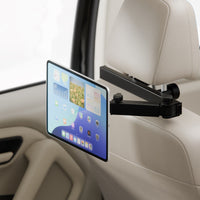
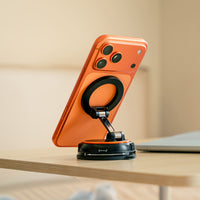
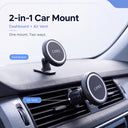
Pair the cable with a magnetic mount at the vent: the MagLock Car Mount for air vent and dashboard is the front-seat partner (check its page for current availability), and the Anywhere Mount sticks to a smooth dashboard.
Capes MagLock cables: what each one does
Both are flat, braided, 1 m long, carry up to 240W Power Delivery with an E-Marker chip, move data at up to 480 Mbps and have a 6-month warranty. The 4-in-1 adds the other three connections.
MagLock Type C to C: the desk cable
- USB-C to USB-C only, with up to 240W Power Delivery, for a MacBook, iPad or any USB-C phone.
- E-Marker chip, data up to 480 Mbps, SuperVOOC, 12V car chargers, Android Auto and Apple CarPlay.
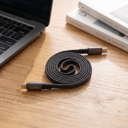
- Built-in magnets roll the flat cable into a tangle-free coil.
- Not for you if you also charge Lightning devices or use USB-A chargers.
MagLock 4-in-1: the bag-and-car cable
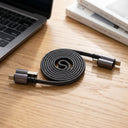
- Four connections: USB-C to C, USB-C to Lightning, USB-A to C and USB-A to Lightning.
- One cable charges a MacBook, an iPhone and an Android phone, with up to 240W Power Delivery and an E-Marker chip.
- The full rating applies to the USB-C to USB-C path; Lightning iPhones and USB-A ports draw far less.
- Not for you if you only need USB-C and want to spend less.
What should I check before buying any 240W cable?
- E-Marker chip named in the specifications, not only "240W" on the box.
- Which connections carry the full rating. On a multi-connector cable it is normally USB-C to USB-C only.
- Data speed. If you move large files, check the data rating separately. The MagLock cables list up to 480 Mbps.
- Reinforced connectors and braiding, since the bend at the plug is a common failure point.
- Warranty. Both MagLock cables have 6 months, longer than the 3 months on other MagLock products.
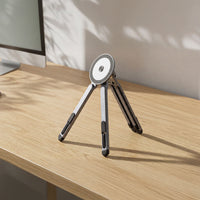
For a tidy desk, the 3-in-1 MagLock Stand raises the laptop, holds the phone and tablet, and keeps one cable run feeding the whole setup.
Verdict
For one cable that does everything, buy the Capes MagLock 4-in-1. For a cheaper desk cable that charges a laptop, buy the MagLock Type C to C. If you are not sure, take both: the dedicated cable for the desk, the 4-in-1 for the bag and the car.
Compare both in the MagLock charging cables collection, see the wider MagLock range and the MagLock car mounts for the car. Outside India? Shop on capes.co.
FAQ
Which is the best fast charging cable for a MacBook and phone in India?
For a desk, the Capes MagLock Type C to C carries up to 240W with an E-Marker chip. For a bag with mixed devices, the Capes MagLock 4-in-1 adds USB-C to Lightning and USB-A connections. Charger and device set the actual speed.
Can a 4-in-1 cable charge a MacBook?
Yes, through its USB-C to USB-C connection with a USB-C charger. The MagLock 4-in-1 carries up to 240W Power Delivery, so the charger and the MacBook decide the charging speed.
Does the MagLock cable work with Android Auto, Apple CarPlay and car chargers?
Yes. Both MagLock cables are listed as working with Android Auto, Apple CarPlay, 12V car chargers and SuperVOOC adapters. A compatible charger or adapter is needed for fast charging.
Kya 240W cable se phone kharab ho sakta hai?
Nahi. Phone aur charger aapas mein tay karte hain ki kitni power leni hai. 240W cable sirf zyada power le jaa sakta hai; phone utni hi power lega jitni use chahiye.
What is the data speed of the MagLock cables?
Up to 480 Mbps. That suits syncing and ordinary file transfers. For a fast external SSD or a monitor, use a cable rated for that job.
What warranty do the MagLock cables have?
Both MagLock cables have a 6-month warranty.
Written by Capes. Published 15 April 2026. Last updated 21 November 2026.
 MagLock Type C to C Flat Magnetic 240W Fast Charging Cable [1M]
 MagLock 4-in-1 Flat Magnetic 240W Fast Charging Cable [1M]