



































































Camera and Lens Skins for Sony, Canon and Nikon: What They Protect — Capes
In this guide
Quick answer: A camera skin is a thin vinyl layer cut for one exact camera body or lens. It protects the outer panels from scratches, scuffs and fingerprints, can add grip in textured finishes, and changes the look. It does not cushion drops or make a camera weatherproof. Capes makes skins for Sony, Canon and Nikon bodies and lenses, not cameras.
A camera body picks up wear in predictable places: the top plate where it rubs against a bag, the lens mount area, the base where it sits on floors and tables, and the edges where it bumps doorframes on a shoot. Lenses scuff along the barrel. A skin is a way to let a thin layer take that wear instead of the original finish.
This guide covers what a camera or lens skin protects, where it stops, how to choose one for your body and lens, and how to put it on without fuss.
What does a camera skin protect?
It protects the outer surfaces it covers from everyday scratches, scuffs, fingerprints and dust. It is cut around the buttons, dials, ports, viewfinder, hot shoe and lens mount, so the camera works exactly as before.
| Protects against | Does not protect against |
|---|---|
| Bag and strap scratches on the body panels | Drops and knocks (no cushioning) |
| Scuffs on the base from tables and floors | Rain, splashes or sand (use a rain cover) |
| Fingerprints and smudges on smooth panels | Scratches on the rear screen or the lens glass |
| Barrel wear on lenses that live in a bag | Damage inside the camera |
For the rear screen, use a screen protector; for the front element of a lens, a lens cap or a protective filter. A skin is for the body and barrel.
Are camera skins worth it?
They are worth it if you care about how the body looks, plan to sell or upgrade later, or want more grip. They are not worth it if you need drop protection; for that, look at a cage or a padded bag.
- Resale: a body or lens in clean cosmetic condition is easier to sell or trade in, and a skin is designed to remove cleanly when that day comes.
- Grip: textured finishes such as Forged Carbon or Black Leather give smooth panels more grip in the hand.
- Telling lenses apart: if you carry several black lenses of similar size, a different finish on each makes the right one easy to pick from the bag.
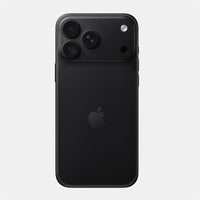
- Look: a body, lens, laptop and phone in the same finish looks like one kit.
Which Sony, Canon and Nikon cameras and lenses have Capes skins?
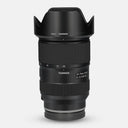
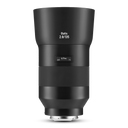
Many popular Sony, Canon and Nikon bodies, plus lenses from those brands and from Sigma, Tamron, Zeiss and Samyang. Each skin is made for one exact model; these are the ones people buy most.
| Brand | Popular bodies | Popular lenses | See all |
|---|---|---|---|
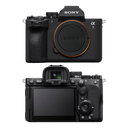
| Sony | A7 IV, A7 III, A7S III, A7R III, A7R V, A7 V, FX3, A6400 | FE 50 F1.8, FE 50 F1.4 GM, FE 85 F1.8, FE 24-105 G | Sony Alpha skins · Sony lens skins |
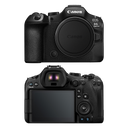
| Canon | EOS R6 Mark II, EOS R6, EOS R5, EOS R | EF 50 F1.8 STM, RF 24-105 F4 | Canon skins · Canon lens skins |
| Nikon | Z6 II, Z8 | Nikkor Z 24-70 F4 S | Nikon skins · Nikon lens skins |
| Sigma (Sony E-mount) | — | 35 F1.4 DG DN Art, 85 F1.4 DG DN, 24-70 F2.8 DG DN | Sigma lens skins |
Check the exact name on your camera or lens before you order. "Sony A7 III" and "Sony A7 IV" look alike but are cut differently, and so are lenses that share a focal length, such as the Sony FE 50 F1.8 and the FE 50 F1.4 GM.
What is the difference between a body skin and a lens skin?
A body skin covers the camera's outer panels; a lens skin wraps one lens barrel. They are sold separately, each for an exact model.
- Body skin: "Full Body" coverage, made of separate pieces for the front and back, the top and base, and the sides, each cut around the controls on that panel.
- Lens skin: cut for one lens model, so a skin for one fifty will not fit another brand's fifty, or a different version of the same lens.
- Lens cap skins: a small extra if you want the front of the kit to match; see lens cap skins.
Which finish should I choose for my camera?
Choose for grip first, then looks. The same finishes are offered across our Sony, Canon and Nikon bodies, so you can match a body to its lenses.
| If you want | Look at |
|---|---|
| More grip on smooth panels | Forged Carbon, Black Leather, Carbon Fibre Black |
| A low-key, all-black look | Black Matrix, Black Leather |
| Warmth | Walnut |
| Something that stands out in flat-lays and on set | Galaxy, Aqua, Coral, Lava, the camo range |
| A two-tone film-camera look | Retro options (on bodies that offer them, such as the Sony A7 IV): a silver top with a textured lower body |
How do I apply a camera skin?
Work on the bare body, clean it, and apply one piece at a time. Most listings include an application video.
- Strip the camera: remove the lens (fit the body cap), battery, memory card, strap and any L-bracket or cage.
- Clean: wipe the panels with a cloth and a little isopropyl alcohol to remove hand oil. Keep it away from the sensor and screen, and let it dry fully.
- Start with flat pieces such as the base and the top, then the front and back, and the curved grip area last.
- Align before you press: line each piece up with a button or dial cut-out, touch it down, then smooth from the centre outward.
- Check every control: turn each dial, press each button and open each port door before you head out.
Find the skin for your camera and lenses
Browse every body and lens in our camera and lens skins collection. If your camera or lens is not listed, tell us the model.
Outside India? Shop on capes.co.
FAQ
Do camera skins protect against drops?
No. A skin is a thin layer that protects against scratches, scuffs and fingerprints. For drops, use a cage, a padded bag or a strap you trust.
Will a skin block my camera's buttons, dials or ports?
No. Each skin is cut for one exact model, with openings for the buttons, dials, ports, viewfinder, hot shoe and lens mount.
Can I remove a camera skin later?
Yes. Our camera skins are designed to remove cleanly, so you can take them off before selling the camera or to change the finish.
Camera skin lagane se camera waterproof ho jata hai kya?
Nahi. Skin sirf bahar ki body ko scratches aur scuffs se bachata hai. Baarish ya paani ke liye rain cover use kijiye.
Does Capes sell cameras?
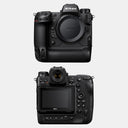
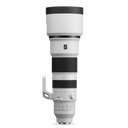
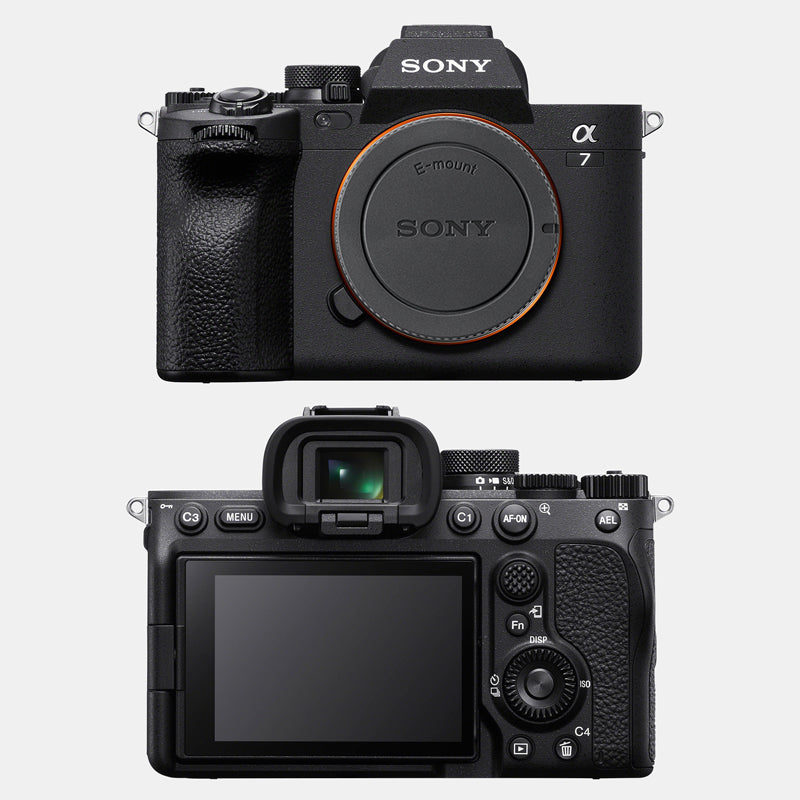
No. Capes makes skins for cameras and lenses. The camera and lens shown in our photos are not included.
Written by Capes, makers of precision-cut skins for laptops, phones and cameras since 2017. Last checked: 9 October 2026.
 Sony A7 IV Skins & Wraps
 Canon EOS R6 Mark II Skins & Wraps
 Nikon Z6 II Skins & Wraps
 Sony FE 50mm F1.8 Skins & Wraps
 Canon EF 50mm F1.8 STM Skins & Wraps
 Sigma 35mm F1.4 DG DN Art Skins & Wraps