

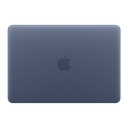









Your Magic Keyboard is Peeling and Your iPad is Full of Fingerprints. Here's the Fix.

The iPad Pro M4 costs Rs 1,19,900. The Magic Keyboard for iPad Pro 13-inch costs Rs 32,900. Together, that is Rs 1,52,800 worth of Apple hardware sitting on your desk. And within 18 months, here is what typically happens: the Magic Keyboard's rubberised outer coating starts to bubble and peel at the edges. The iPad's Space Black aluminium back is permanently smeared with fingerprints within five minutes of unboxing. The Apple Pencil Pro's pristine white gets dinged from rolling off a surface once.
Apple support's answer to the Magic Keyboard peeling, documented across hundreds of posts on Apple Community forums, MacRumors, and Reddit, is essentially: it is normal wear and tear. Buy a new one for Rs 32,900.
A Capes India 3M skin for the Magic Keyboard costs Rs 1,999. For the iPad body it is Rs 1,299. The Apple Pencil wrap is Rs 699. Together, that is Rs 3,997 to protect Rs 1,52,800 in hardware and to fix an already-peeling keyboard without replacing it. This guide covers everything: why the Magic Keyboard peels, how the skin fixes it, Apple Pencil compatibility, and the full modular coverage system for the iPad ecosystem.
- Why the Magic Keyboard Coating Peels
- The iPad Fingerprint Problem and How a Skin Solves It
- The iPad Trio: Body, Magic Keyboard and Apple Pencil Together
- Materials: Why 3M and Hexis Vinyl for an Rs 1.5 Lakh Setup
- Coverage: The Full Modular System Explained
- Magic Keyboard Hinge and Apple Pencil Compatibility
- Textures: Which Finish for Your iPad Pro Setup?
- How to Apply iPad and Magic Keyboard Skins
- Frequently Asked Questions
Why the Magic Keyboard Coating Peels: The Documented Reason
The Magic Keyboard for iPad Pro uses a woven-fabric exterior with a rubberised polymer coating on the inner aluminium surfaces and around the hinge area. This coating is what gives the keyboard its premium soft-touch feel. It is also what fails.
The failure pattern is consistent and well-documented: the coating begins to bubble and delaminate from the aluminium substrate, typically starting at the hinge area and the outer edges. This has been reported across the Magic Keyboard for iPad Pro 11-inch, 12.9-inch, and 13-inch models, across multiple generations, and often within 12 to 24 months of regular use.
The causes are the same as with any rubberised polymer coating bonded to metal: heat from daily use, UV exposure, the mechanical stress of the hinge being opened and closed thousands of times, and the natural oils from hand contact. Apple's support position has consistently been that this is "normal wear and tear," a position that has frustrated Rs 30,000+ keyboard owners globally.
The iPad Fingerprint Problem and How a Skin Solves It
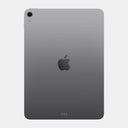
The iPad Pro M4 introduced a Space Black aluminium finish that Apple described as the most premium colour in the iPad lineup. It is also, in daily use, a fingerprint magnet of extraordinary persistence. Every touch, every grip, every time you pick it up from a desk leaves visible hand oils on the back panel that are impossible to wipe away completely with a dry cloth.
The Space Grey, Silver, and Blue iPad Air finishes are less severe but face the same fundamental issue: anodised aluminium attracts and holds skin oils visibly, especially under any directional light.
Fingerprint Elimination
A matte transparent skin creates a non-porous surface that does not hold fingerprint oils visibly. The original finish is preserved underneath while the matte surface wipes clean instantly.
Scratch Protection
The aluminium back picks up micro-scratches from desk surfaces and bag friction. The vinyl absorbs these before they reach the anodised finish.
Aesthetic Upgrade
From invisible matte transparent to Forged Carbon to Walnut, a skin transforms the iPad's identity without a case and without adding any perceptible bulk to the slim M-series profile.
Resale Value
An iPad in mint cosmetic condition commands significantly higher resale on Cashify and peer-to-peer markets. The skin takes the daily wear the aluminium back does not.
The iPad Trio: Body, Magic Keyboard and Apple Pencil Together
Capes India offers skins for all three components of a complete iPad Pro setup. Buying them together creates a cohesive material identity across the entire system, and the cost of protecting all three is still a fraction of what any one component costs to replace.
- Back panel precision-cut for your iPad Pro or Air model
- Smart Connector cutout preserved for Magic Keyboard
- 0.22mm, fits inside Magic Keyboard with zero hinge interference
- Eliminates fingerprint accumulation on Space Black finish
- Outer top, outer bottom, inner palm rest
- Covers existing peeling or bubbling on outer coating
- Hinge area precision-cut for full fold articulation
- Trackpad left open or separately covered
- Full barrel wrap for Apple Pencil 2 and Pro
- Magnetic charging rail left unobstructed
- Double Tap zone preserved for Apple Pencil Pro
- Adds grip to the otherwise slippery round barrel
- Prevents yellowing on white pencil over time
Materials: Why 3M and Hexis Vinyl for an Rs 1.5 Lakh Setup
The adhesive quality matters more on this setup than almost anywhere else. An iPad Pro with a Magic Keyboard is a device that flexes at the hinge dozens of times a day, that charges wirelessly, that attaches and detaches magnetically, and whose back panel is the most-touched surface in your daily carry. Cheap adhesive vinyl on any of these surfaces fails in ways that are expensive to fix.
| Property | Capes India (3M / Hexis) | Generic / Budget Vinyl |
|---|---|---|
| Adhesive Type | Pressure-sensitive, zero residue on aluminium and fabric | Permanent-bond, leaves adhesive on Rs 1.2 lakh iPad back |
| Hinge Flexibility | Conforms to Magic Keyboard hinge area without cracking or lifting | Cracks at the hinge fold after repeated open/close cycles |
| Thermal Stability | Stable to 100 deg C, safe during M-series chip warm sessions | Softens and bonds permanently during extended Pro workflows |
| UV Stability | Colour-stable, no yellowing on transparent skin | Yellows within months, especially on white-coloured back panels |
| Air Release | Micro-channels, bubble-free on large flat iPad back panel | Bubbles visible on the wide back panel after application |
| Repositionable | Yes, peel and reapply during the large iPad panel application | Single attempt only on the most expensive surface |
| Magnetic alignment | Non-magnetic, non-metallic, no effect on Smart Connector or Pencil rail | Some budget vinyls contain metallic traces that affect Smart Connector |
Coverage: The Full Modular System Explained
The iPad ecosystem is covered in modular pieces rather than single wraps, because the hinge, Smart Connector, camera module, and Apple Pencil charging rail all require specific cutout architecture that varies by generation and model.
iPad Back Panel
The primary piece covering the full aluminium back. Cut around the camera plateau, the Apple logo, the Smart Connector on the right edge, and the speaker grilles. This is the fingerprint-elimination piece for Space Black and Space Grey finishes.
Magic Keyboard Outer Top Skin
Covers the top face of the Magic Keyboard, the surface visible when the iPad is in use and the keyboard is propped up. This is the piece most affected by the delamination issue on the M-series Magic Keyboard, as the coating failure typically starts at the outer edges and hinge surround of this surface.
Magic Keyboard Outer Bottom Skin
Covers the bottom face of the keyboard, the surface that contacts the desk. This area accumulates desk abrasion and surface scratches. The hinge area is precision-cut to allow full fold articulation without the skin creasing or lifting during opening and closing.
Magic Keyboard Palm Rest (Inner)
The interior palm rest surface develops a dulled, worn appearance from daily wrist contact over months of use. The palm rest piece covers this area while leaving the trackpad open, or optionally covered with a dedicated trackpad piece that preserves full sensitivity.
Apple Pencil Barrel Wrap
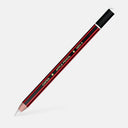
A cylindrical wrap for the Apple Pencil 2 or Pro barrel. Applied in a single rotation around the pencil. Adds grip to the round barrel, protects the white finish from yellowing and scratches, and preserves the magnetic charging rail and Double Tap capacitive zone through precise cutouts.
Magic Keyboard Hinge and Apple Pencil Compatibility
Magic Keyboard Hinge Clearance
The Magic Keyboard for iPad Pro uses a cantilevered hinge with magnetic alignment that holds the iPad at precise angles. Capes India iPad skins are 0.22mm thick, within the hinge clearance tolerance of the Magic Keyboard M-series design. The iPad attaches and detaches from the Magic Keyboard normally with the skin applied, and the Smart Connector cutout on the right edge of the skin ensures full keyboard and charging connectivity is maintained.
Apple Pencil Magnetic Charging and Double Tap
The Apple Pencil 2 and Pencil Pro both attach magnetically to the right edge of the iPad and charge wirelessly through inductive coupling. The iPad skin is cut to leave this magnetic charging rail on the right edge completely unobstructed, the Pencil attaches and charges exactly as it does on a bare iPad. For Apple Pencil skins: the Double Tap capacitive zone on the flat face of the Pencil Pro is left as an open cutout, ensuring the gesture works normally.
Textures: Which Finish for Your iPad Skin Setup?
The iPad back panel and Magic Keyboard are two of the widest, flattest surfaces in the Capes India catalogue, which makes them the best showcase for textured skins. The same texture applied to both creates a cohesive, designed aesthetic that looks intentional rather than accessorised.
| iPad / Profile | Recommended Texture | Why |
|---|---|---|
| iPad Pro M4 (Space Black) | Transparent Matte or Forged Carbon | Matte eliminates persistent fingerprints; Carbon transforms the dark chassis into something more tactile |
| iPad Pro M4 (Silver) | Matte Transparent or Walnut | Silver suits clean finishes; Walnut adds warmth for a creative-professional desk setup |
| iPad Air M2 (Blue / Purple / Starlight) | Transparent Matte or Galaxy | Preserve the colour with matte transparent, or amplify with a matching vibrant finish |
| Architects, designers, illustrators | Forged Carbon or Black Leather | Professional aesthetic that matches the seriousness of the work; pairs well with matching laptop skins |
| Students and content creators | Galaxy / Camo / Vibrant | Expressive identity; strong social media presence in flat-lay setups |
| Executive / boardroom users | Black Leather or Brushed Metal | Understated, premium look that suits high-visibility professional settings |
| Full Trio (iPad + Keyboard + Pencil) | Forged Carbon on all three | Cohesive setup aesthetic, all three components in the same texture looks designed, not assembled |
How to Apply iPad and Magic Keyboard Skins
The iPad back panel is the largest single flat surface in the Capes India range. The Magic Keyboard is the most mechanically complex, with the hinge area requiring specific technique. The Apple Pencil is the most cylindrical. Each requires a slightly different approach.
Remove iPad from Magic Keyboard before starting
Work on the iPad and Magic Keyboard as separate pieces. Applying the iPad skin with the keyboard attached creates tension across the Smart Connector edge that causes misalignment. Detach and lay both flat on a clean surface independently.
Clean all surfaces thoroughly
Use the alcohol wipe on every surface. The iPad Pro Space Black finish accumulates oils that are invisible until a skin is applied over them, at which point they become visible bumps. Clean in circular motions, paying extra attention around the camera plateau and the right edge where the Apple Pencil charges.
Start with the iPad back panel, dry-fit first
The iPad back panel is the largest piece and the most unforgiving if misaligned. The camera plateau cutout must align exactly. Dry-fit the skin without peeling the backing and verify the camera module, Apple logo indent, and Smart Connector edge all sit correctly. Only then peel the backing and apply from the camera end downward, squeegee from center outward.
For the Magic Keyboard outer pieces: hinge area last
Apply the flat sections of the outer keyboard pieces first, then use fingernail pressure to work the skin around the hinge curve at the end. Warm the skin with your palm before working around the hinge radius to prevent stress creasing.
Palm rest piece: use the trackpad opening as your anchor
The Magic Keyboard palm rest skin has a trackpad opening that serves as the primary alignment reference. Align this opening first, then press outward from the trackpad toward the edges. The palm rest surface is flat and forgiving.
Apple Pencil: single rotation from the flat face
Start the Pencil skin at the flat face seam and rotate the Pencil slowly while pressing the skin against the barrel with consistent tension. Keep the Double Tap cutout area facing you as a reference point during rotation. The 3M vinyl conforms around the round barrel without creasing if rotated steadily and slowly.
Protect Your Full iPad Setup
3M precision-cut. Zero hinge interference. Apple Pencil compatible. Fix the peeling Magic Keyboard and eliminate iPad fingerprints permanently.

Leave a comment