





Best Back Seat iPad and Phone Holder for Cars in India (2026): Headrest Mounts for Road Trips and Kids | Capes
In this guide
- What types of back seat iPad and phone holder are there?
- What should I check before buying one?
- What is the Capes MagLock Back Seat Mount?
- Is it good for kids and long road trips?
- How is a back seat mount different from a front car mount?
- When is the Back Seat Mount not the right choice?
- What do MagSafe, magnetic ring and suction mean on a car mount?
- Verdict: which back seat holder should you buy?
- FAQ
Quick answer: The best back seat iPad and phone holder for Indian road trips is one that hooks onto the front seat headrest posts, tilts for short and tall passengers and holds a tablet in landscape. The Capes MagLock Back Seat Mount does this for iPads up to 13 inches and phones. It pairs MagSafe magnets with a suction face in one head, includes a magnetic ring for Android phones, non-MagSafe cases and iPads, and is sold as a single mount, with a two-pack option for a screen behind each front seat. It has a 3-month warranty. If your seats have no exposed headrest posts, choose a strap-on or hanging holder instead.
By Capes. Published 21 November 2026. Updated 21 November 2026.
Long drives out of Delhi, Bengaluru or Pune have a familiar problem: the screen in the back. A tablet balanced on a child's lap slides off at the first speed breaker, a phone leaned against a water bottle goes dark, and an adult in the back who needs to take a call has nowhere to put the device. A holder fixed to the front seat solves all three, if you pick the right kind.
This guide compares the types of back seat holders, explains what to check on a product page, and says plainly where the Capes MagLock Back Seat Mount fits and where it does not.
What types of back seat iPad and phone holder are there?
There are four common types: a hook that grips the headrest posts, a strap that wraps the headrest, a pouch or tray hung from the seat, and a clamp arm on a seat bar. They differ in how stable the screen is and how many seats they work on.
| Type | How it attaches | Good for | Watch out for |
|---|---|---|---|
| Headrest post hook | Metal bar hooks onto the two posts of the front headrest | Rigid hold, stable on bumpy roads, headrest stays in place | Needs exposed metal posts |
| Strap-on headrest holder | Elastic or rubber strap around the headrest | Cars with fixed headrests, quick swaps between cars | Straps can loosen over time and the screen can wobble |
| Hanging pouch or tray | Straps over the seat back | Kids' snacks, toys and a tablet in one place | Screen angle is fixed; the pouch can swing |
| Seat-bar clamp arm | Clamps to the floor rail or seat bar | Long flexible arms | Often bulky and fiddly to install |
| Magnetic head (on any of the above) | Snaps onto a MagSafe iPhone or a magnetic ring | One-hand on and off | A thick non-magnetic case weakens the hold |
Whichever you choose, the mount is only as steady as its weakest link: the arm, the joint and how the device is held. That is why most of the checks below are about stability, not just whether the device fits.
What should I check before buying one?
Check the device size limit, how it attaches, whether it holds a device in landscape and portrait, and whether it works for more than one seat. These five checks cover most regrets.
- Device size. Many holders stop at phones or small tablets. Look for the largest iPad size the listing states.
- Attachment. A hook on the headrest posts is the most rigid, but it only suits headrests with exposed metal posts. Check your own car's front seats first.
- Grip on the device. Spring clamps hold any phone but need two hands. A magnetic head snaps on with one hand but needs a magnetic back or ring.
- Angle adjustment. A ball joint lets a short child and a tall adult set the screen where they can see it.
- Reach. If two or three people share the back seat, an arm that reaches the centre means everyone can see the screen.
- Folding. A mount that folds flat against the seat is easier to live with when the back seat carries luggage.
What is the Capes MagLock Back Seat Mount?
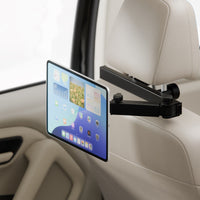
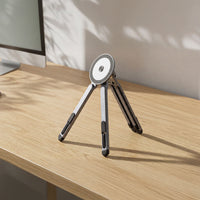
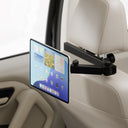
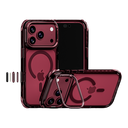
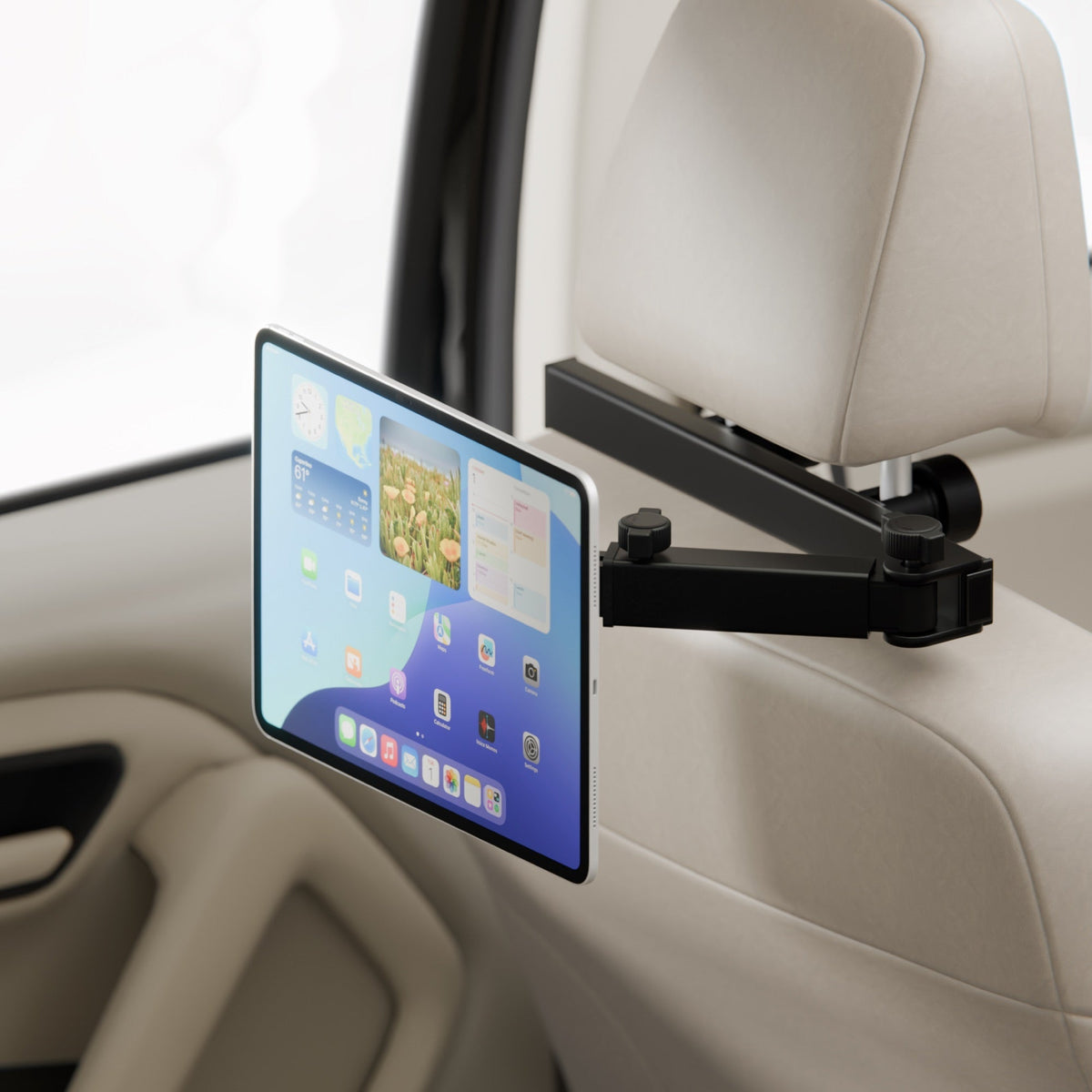
It is a car headrest holder for iPads up to 13 inches and phones. It hooks onto the metal posts of the front seat's headrest, so the headrest does not need to come out. Buy one mount for a single screen, or the two-pack for a screen behind each front seat.
From its product page:
- MagSafe magnets plus suction in one head. An iPhone, or a phone in a MagSafe case, snaps straight on; a suction face behind the magnets adds a second grip.
- No need to remove the headrest. The bar hooks onto both metal posts with the headrest in place, and the page says it also fits cars whose headrests do not come out.
- Reaches the middle. The arm extends flat to the centre of the back seat from one headrest, so two or three people can share one screen, with no bar across both seats.
- Phones and iPads up to 13 inches. It works with iPhone, Android phones and iPads, in landscape or portrait. Android phones, non-MagSafe cases and iPads use the magnetic ring included in the box.
- Tilt, rotate, fold flat. A ball joint sets the screen angle, and the arm folds flat against the seat when you are done.
- One mount or a two-pack. One mount serves the middle or one side; the two-pack puts a screen behind each front seat.
Is it good for kids and long road trips?
For passengers, yes: a rigid mount at eye level keeps a screen steady, and a ball joint lets each child set their own angle. The Back Seat Mount is meant for passengers watching or calling, not for the driver.
A few practical points for family trips:
- Set the angle before you start. A short child needs the screen lower and tilted up. Adjust at a halt, not while moving.
- Use a MagSafe case or a ring. An iPhone with a MagSafe case snaps on. For a tablet, stick the included magnetic ring on the back of the iPad or its case, in the centre so the weight is balanced.
- Keep it for passengers. The driver should use the front mount; see our guide to car phone holders and why phones fall off mounts.
- Heavier tablets need a firm ring. Larger iPads are heavier. Make sure the ring is stuck flat and fully pressed, then give the iPad a gentle tug before the drive.
The page says the mount is built to keep the device in place on Indian roads. As with any holder, check that your own car's headrest posts are solid before you load a 13-inch iPad onto it.
How is a back seat mount different from a front car mount?
A back seat mount attaches to the headrest posts and serves passengers; a front mount sits on the air vent or dashboard and serves the driver for maps and calls. They are separate jobs, so many families end up with both.
| Mount | Attaches to | Who uses it | Capes pick |
|---|---|---|---|
| Back seat | Front seat headrest posts | Passengers: kids, adults sharing a screen | MagLock Back Seat Mount |
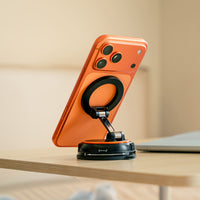
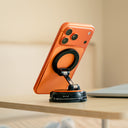
| Dashboard, glass or any smooth surface | Twist-lock suction base | Driver navigation, or a second screen | MagLock Anywhere Mount |
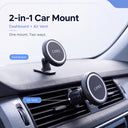
| Air vent | Metal vent clip | Driver navigation and calls | MagLock Car Mount (air vent and dashboard) |
The Capes MagLock Car Mount for air vent and dashboard is the front-seat sibling of the Back Seat Mount; its product page lists N52 magnets and a magnetic ring in the box. Check its page for current availability. Where a vent clip does not suit your car, the MagLock Anywhere Mount sticks to a smooth dashboard or glass instead.
When is the Back Seat Mount not the right choice?
Skip it if your front headrests have no metal posts, if your tablet is larger than 13 inches, or if you want a pouch with storage for toys and snacks. A mount holds the screen; it does not carry anything else.
- No exposed posts. The mount hooks onto metal headrest posts. If your car has a one-piece seat with no posts, a strap-on or hanging holder is a better fit.
- Tablets above 13 inches. The product page lists iPads up to 13 inches. A larger tablet is outside what the page states.
- Storage needs. If the children need pockets for crayons and juice boxes, a seat-back organiser with a tablet pocket suits better. You can still add the mount on top.
What do MagSafe, magnetic ring and suction mean on a car mount?
MagSafe is Apple's ring of magnets inside iPhones from the iPhone 12 onward. A magnetic ring is a thin plate that gives any other phone or tablet the same attachment, and suction is a second grip that presses against the back of the device.
- MagSafe. The mount's magnets line up with the iPhone's ring, so the phone snaps on by itself and centres.
- Magnetic ring. Stick it centred on the back of an Android phone, a non-MagSafe case or an iPad. Keep it clear of the wireless-charging coil and tap-to-pay area if you use them.
- Suction face. On the Back Seat Mount, a suction face sits behind the magnets and adds a second grip on smooth backs.
- Why a thick case matters. Distance weakens a magnet. A thick case without its own magnets moves the phone away from the mount, so use a MagSafe case or put the ring on the outside of the case.
Our guide to MagSafe on Android and older iPhones explains rings in more detail.
Verdict: which back seat holder should you buy?
If your front headrests have metal posts and the back seat carries kids or a second adult, buy the Capes MagLock Back Seat Mount: it is rigid, adjusts for different heights and reaches the middle seat. If the headrests have no posts, choose a strap-on or hanging holder instead.
See the MagLock Back Seat Mount and the MagLock Anywhere Mount for the front. Browse every MagLock car mount, the full MagLock collection and the MagLock charging cables for the 12V socket and Android Auto or CarPlay on the road. Outside India? Shop on capes.co.
FAQ
What is the best back seat holder for an iPad in a car in India?
A headrest-post mount that holds iPads up to 13 inches, such as the Capes MagLock Back Seat Mount (sold singly or as a two-pack). It hooks onto the front headrest posts, tilts and rotates on a ball joint, and folds flat.
Which iPads and phones does the Capes Back Seat Mount hold?
Phones and iPads up to 13 inches, in landscape or portrait. iPhones and MagSafe cases snap straight on; Android phones, non-MagSafe cases and iPads use the magnetic ring included in the box.
Do I have to remove the headrest to fit it?
No. The bar hooks onto both metal headrest posts with the headrest in place, and the product page says it also fits cars whose headrests do not come out. Your car's front seats need metal posts to hook onto.
Can two kids share one screen with it?
Yes. The arm extends flat to the centre of the back seat from just one headrest, so two or three passengers can share a screen. The two-pack also lets each side have its own.
Back seat mount ke saath Android phone chalega kya?
Haan. Box mein magnetic ring aati hai. Ring ko phone ya case ke peeche center mein chipkaiye, phir mount par snap kijiye. Wireless charging coil aur tap-to-pay wali jagah se door rakhiye.
Is the Back Seat Mount covered by a warranty?
Yes, MagLock mounts carry a 3-month warranty.
Written by Capes. Published 21 November 2026. Last updated 21 November 2026.
 MagLock Back Seat Mount
 MagLock Anywhere Mount - 360° Magnetic Surface Mount